If you’re like me, you have a number of domains where you have sites installed, but you also own some domain names that you got maybe because they were similar to your domains, or because you have a future project that you’re thinking of developing, or maybe you changed the domain on one of your sites, or maybe you’re just not using the domain anymore but you don’t want to let it go. For whatever reason, one of the things to figure out is, is there something that you can do with those domains that aren’t being used?
Video Version
About the Plugin
There are several plugins in this category, but I chose this one for a few reasons. One is some of the others have not been kept up to date. Two, although it only has a hundred active installs, it’s got a good rating and support has been active. And it seemed pretty straightforward to install and set it up. There are instructions on the plugin for how to do it. And so what this plugin does, it allows you to direct one domain to a page hosted on another.
How It Works
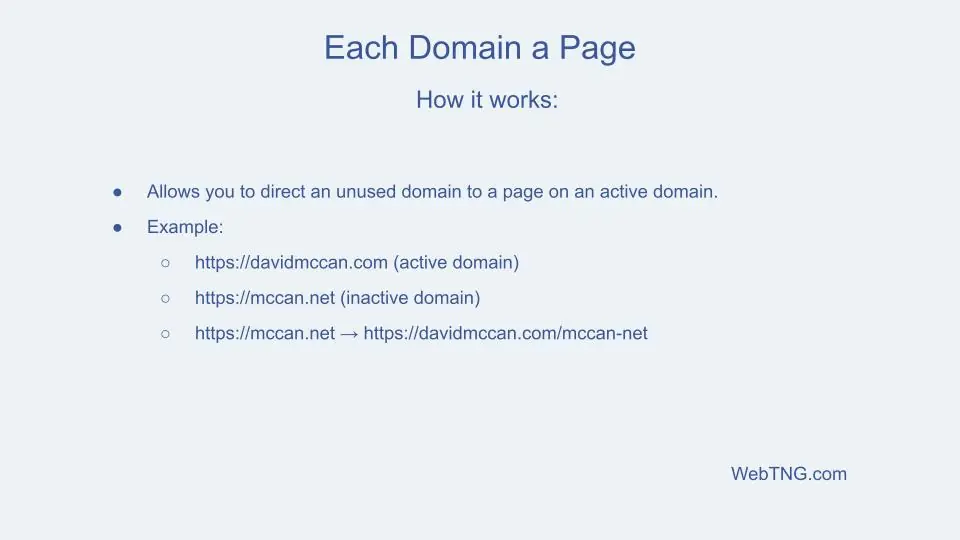
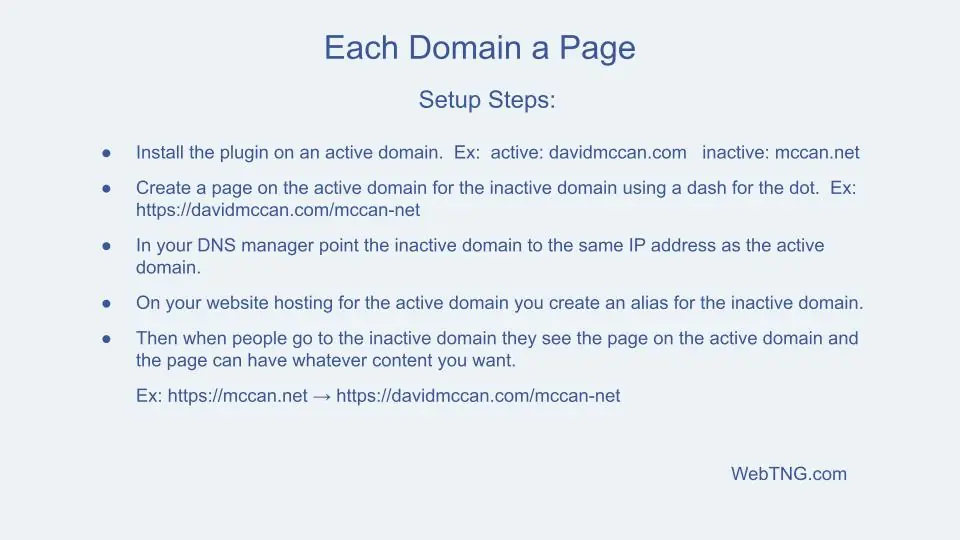
So in this case I have davidmccann.com, and I also own mccann.net. And mccann.net is not being used, so I’m going to direct that to davidmccann.com. You install the plugin and you create a page for the domain, mccann-net. Then you go into your domain name manager and you point the extra domain to the active domain. And you go into your website hosting and you make an alias for the extra domain. And then when you do that, the extra domain shows up as a page. It has its own page in the active domain.
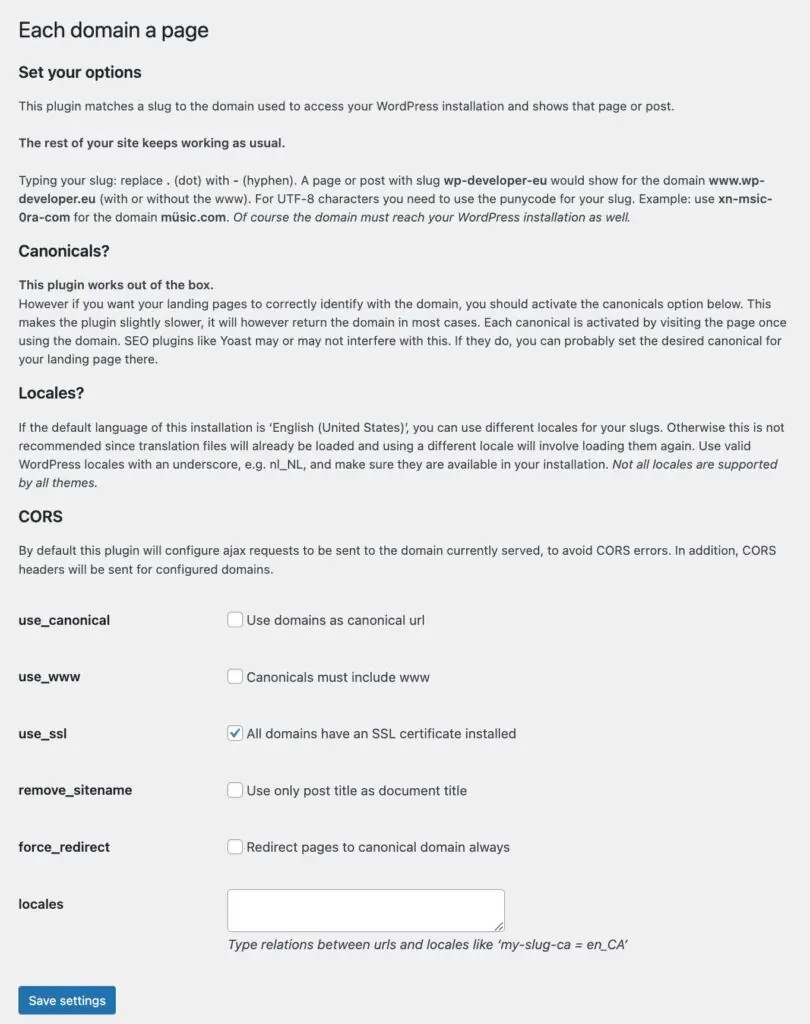
These are some options that you can configure.
- Use domains as a canonical URL.
- Canonicals must include www.
- All domains have an SSL certificate installed.
- Use only post title as document title and force redirect canonical domains always
- Locales.
Now what we do is go to pages and we’d add a page. And the page title would be mccan-net. Use a dash instead of the period.

You can use your page builder or the Gutenberg Site Editor to create a customized page and even a custom header and footer.
When I test it I see “mccan.net” in the address bar and the special page. The plugin also allows you to add a sub page, like for example for a contact page.
So that’s this free plugin, Every Domain a Page. It is pretty easy to set up. It’s a little bit techy because you have to go into your DNS and you have to go to your hosting. But other than that I think it’s pretty straightforward and something I’ll be using for some of those domains that are parked. Hope you found this plugin useful.