Table of Contents
Meet “Off Switch”: A Simple Way to Kill WordPress Bloat
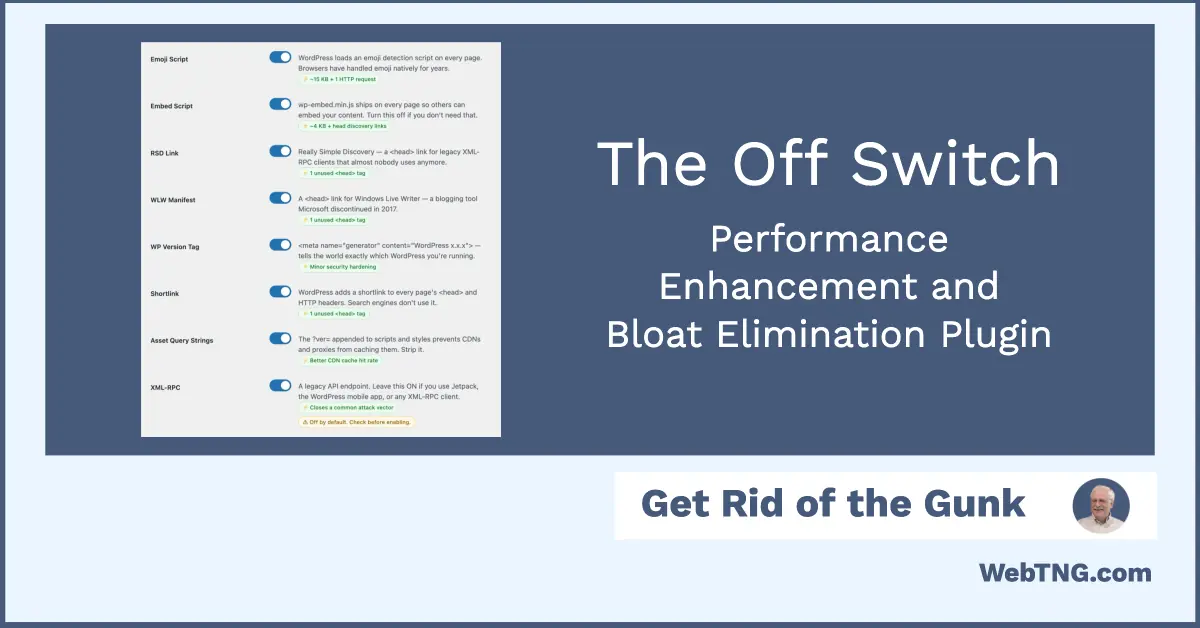
Off Switch is a free WordPress plugin that gives you a straightforward way to toggle off hidden bloat, improve performance, and harden security without touching code. It exposes a long list of small, often‑forgotten features that quietly consume resources or expand your site’s attack surface, and lets you disable them with simple switches.
Video Version
Here is the video version.
Performance‑First Toggle Controls
Off Switch focuses heavily on performance, targeting features that many sites simply don’t need anymore. It lets you remove support for emojis, reduce the frequency of Heartbeat API polling, and disable Dashicons on the frontend so your pages aren’t loading extra assets just to render icons. You can also turn off jQuery Migrate, which most modern themes and plugins no longer require, and clean up things like self‑pingbacks, the capital P filter that runs on every rendered string, and automatic attachment pages that create separate pages for every image.
Beyond that, the plugin helps keep your database lean by cleaning up expired transients and abandoned auto‑drafts, and it tackles unnecessary overhead in SQL queries that count rows even on single post or page views. If your theme includes “previous/next post” navigation, the corresponding query can run whether you use that feature or not; Off Switch gives you control over that sort of invisible bloat as well.
Better Core Web Vitals and Media Handling
Off Switch also includes options aimed at improving Core Web Vitals and overall loading experience. You can automatically add missing image dimensions to avoid layout shifts, and set a high fetch priority for the first image (typically your featured image) to reduce large contentful paint delays. It can enable lazy loading for images below the fold so that only what’s needed is loaded initially, and it lets you disable PDF thumbnails if those are not part of your workflow.
These tweaks add up to faster perceived load times and a more stable layout, which is especially beneficial for content‑heavy sites or blogs with lots of images.
Built‑In Security Hardening
On the security side, Off Switch offers several simple but effective hardening options. You can block user enumeration, disable the built‑in file editor, and turn off application passwords if you’re not using them. The plugin also lets you clean up the admin bar, hide update nags for non‑admin users, and restrict REST API access to logged‑in users only.
For many sites, the REST API does not need to be open to anonymous visitors, but disabling it can affect plugins that rely on it. Off Switch makes it easy to toggle this behavior, but it’s still wise to test your setup after changing it.
Gutenberg, WooCommerce, and Login Screen Tweaks
Off Switch goes beyond generic performance tweaks and reaches into specific areas like Gutenberg, WooCommerce, and the login screen. Gutenberg, for example, fetches remote block patterns and loads core block patterns every time the editor opens, and it also supports live searching the block directory. If you don’t use these features, they can become an annoyance and a drag on performance, so the plugin gives you toggles to turn them off.
You can also disable the WordPress font library if it’s not part of your stack, or, when using a classic theme, switch from block‑based widgets back to classic widgets. For WooCommerce stores, Off Switch includes a set of bloat‑removal and optimization options tailored to that plugin, helping you strip out non‑essential pieces that slow down storefronts. On the login page, you can hide detailed login error messages, remove the register link, and disable the language switcher—useful if your site only supports a single language.
Conclusion
The free Off Switch plugin provides an easy to use central dashboard of toggles. So, instead of dealing with a bunch of snippets and filters, or writing your own feature plugin, it makes it easy to experiment and remove bloat and enhance site performance.