I’ve been using All in One WP Migration for backing up and migrating sites during testing and development, but recently took a closer look at WPVivid and noticed a number of advantages, even in its free version.
Video Version
Advantages of WPVivid vs All in One WP Migration
All in One WP Migration is free for backing up and migrating your sites, but it has a fairly low limited on the size of the backup for the free version. So you can backup a site but when you go to restore it you get a notice that you need to buy a premium extension. WPVivid separated its free / premium features a different way, and the free version doesn’t have backup file size limitations.
Also, when you create a backup with WPVivid the size on disk is compressed more than the same site backed up using All in One WP Migration. Here on a rather simple dev site the backup made with All in One WP Migration is 88.8MB while the one made with WPVivid is 55.9MB.
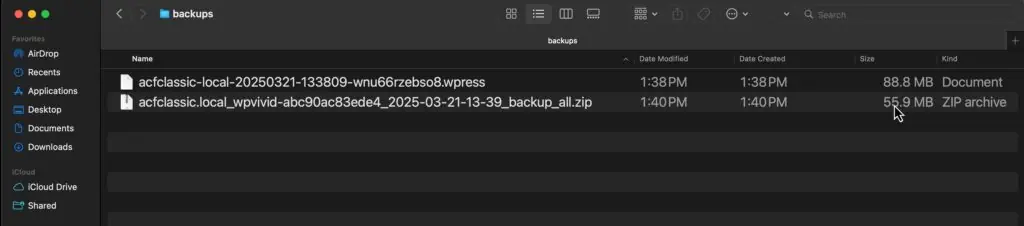
All in One WP Migration uses a proprietary archive format. They have a desktop program or a website where you can upload an archive and it will unpack it for you, but WPVivid uses the universal Zip file archives. That makes it easier to unzip on your computer if you need to retrieve something from a backup.
All in One WP Migration
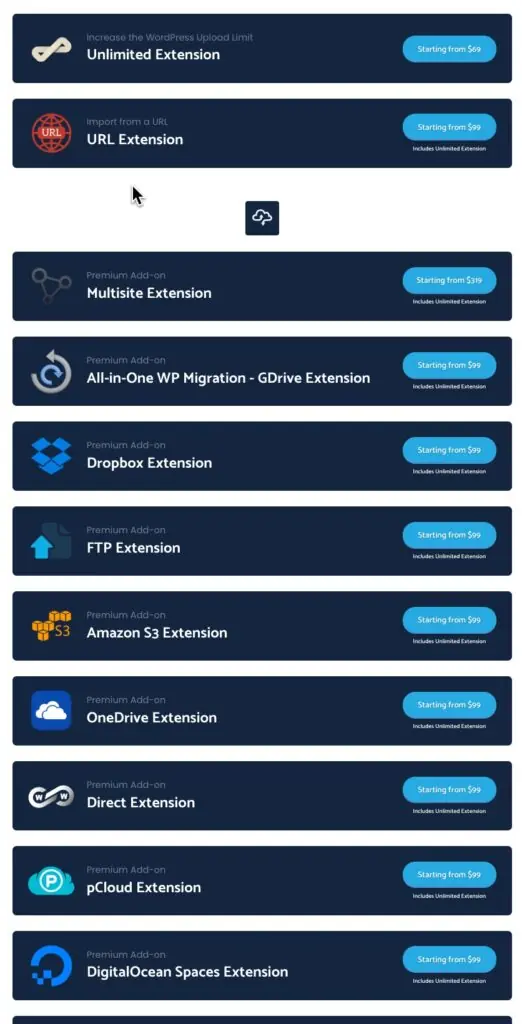
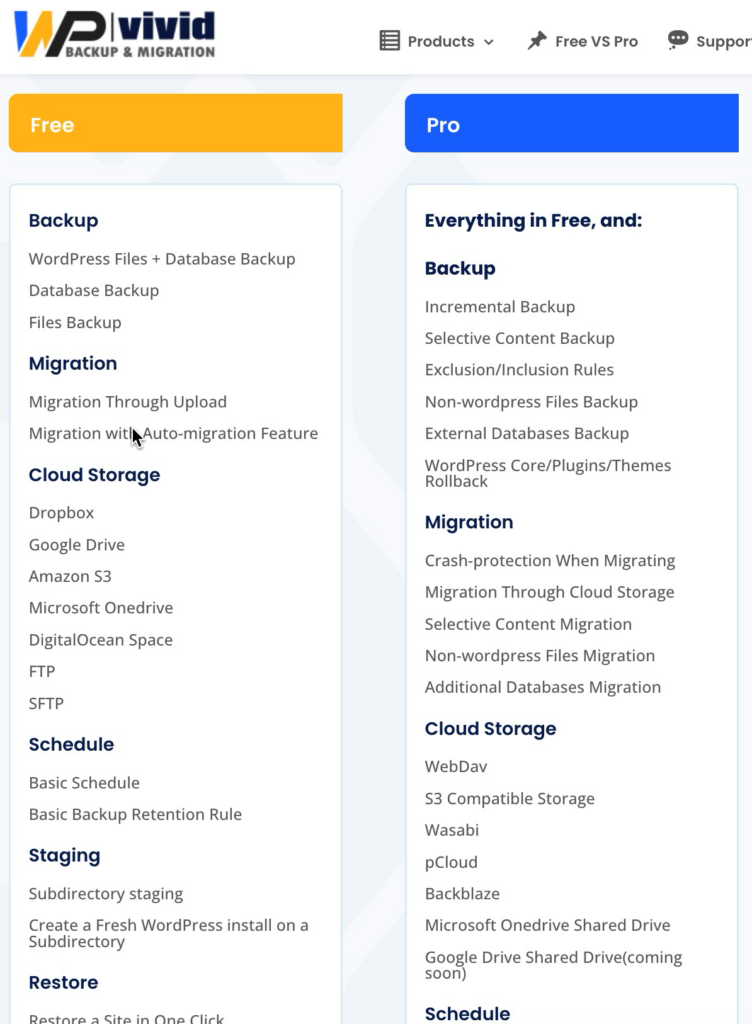
The premium version of All in One WP Migration is sold through annual subscriptions as individual extensions, so you buy one extension per backup target. WPVivid includes all of the backup locations in its plugin, some in free and others in pro, but you only buy one plugin. Also, WPVivid has lifetime packages.
So I see a lot of advantages in using even the free version of WPVivid and have made the switch.
Get 20% off of WPVivid using coupon WEBTNG.