Coming to WordPress is a new font manager. It was supposed to be released in WordPress 6.4, but it wasn’t quite ready and got pushed to WordPress 6.5. Well, the WordPress 6.5 Beta 1 is available now, so I took a look at the font manager so we can see what it offers, how it works, and what its limitations are. Remember this is a Beta, so there could be some changes.
Video Version
How It Works
I am on a test site with WordPress 6.5 beta 1. It is using the default Twenty Twenty-Four theme. If we go to the admin dashboard, to the site editor, to templates, and let’s pick a template such as Index.
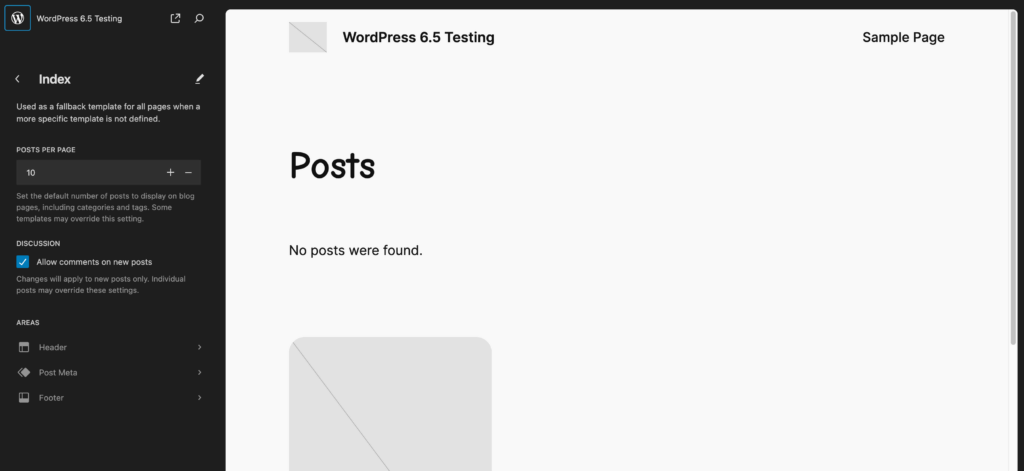
Now, when you’re in the site editor, there’s a styles icon here, and when you click it, there’s an option here for typography. This shows us the fonts.
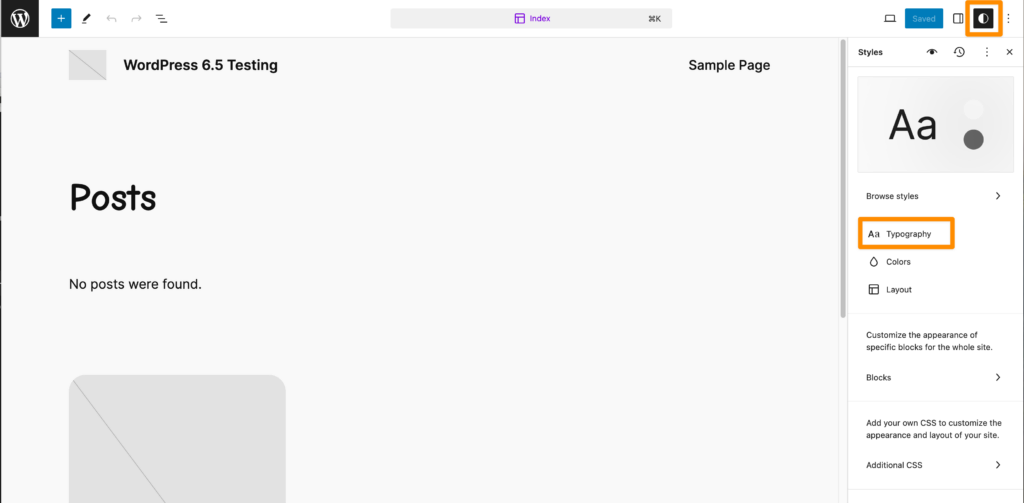
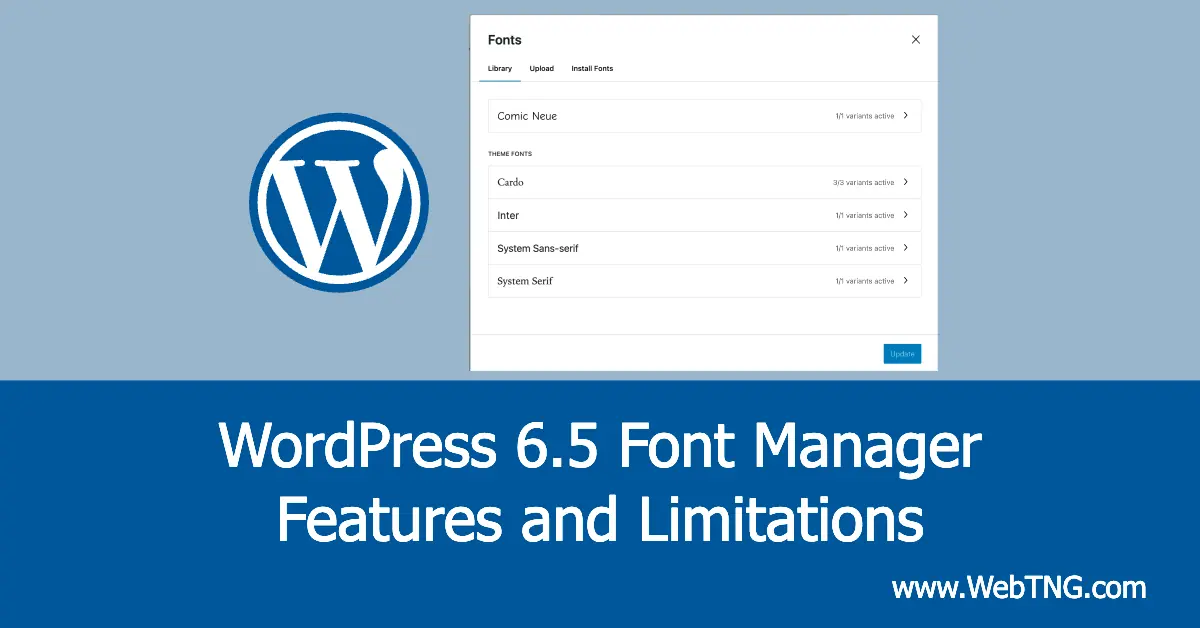
If you click on this icon here, you get a font manager. So this is pretty cool.
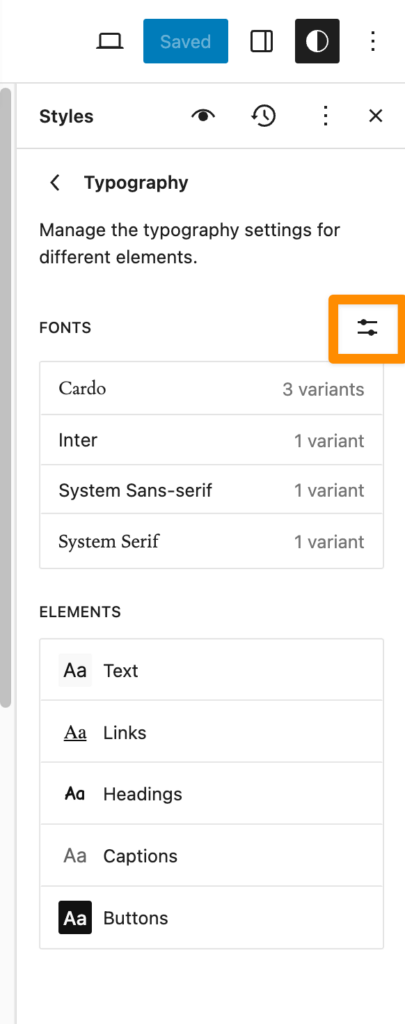
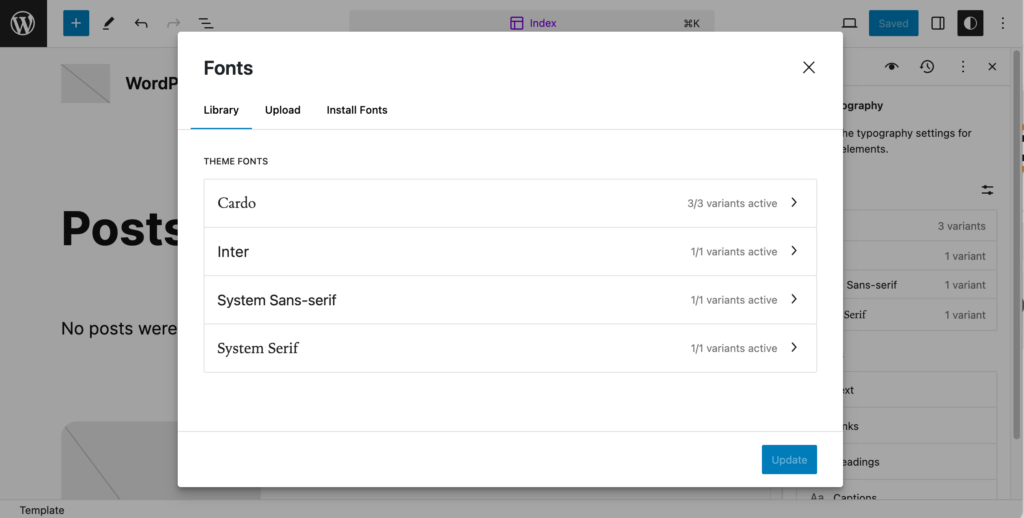
In the font manager you can see what fonts you have and look at the variants from the Library tab.
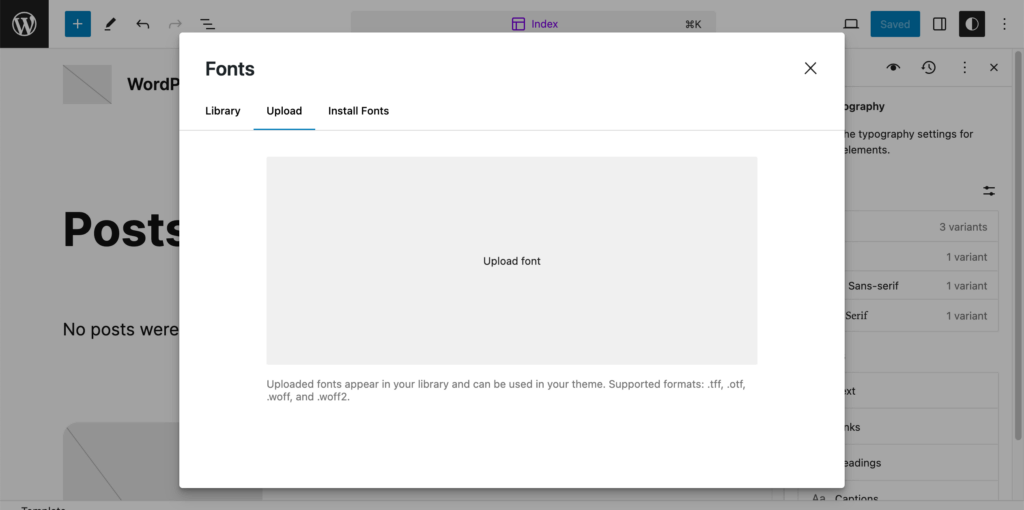
Here on the Upload tab you can upload fonts if you have downloaded some, and it tells you the formats that are acceptable.
And on the Install Fonts tab you can install Google Fonts.
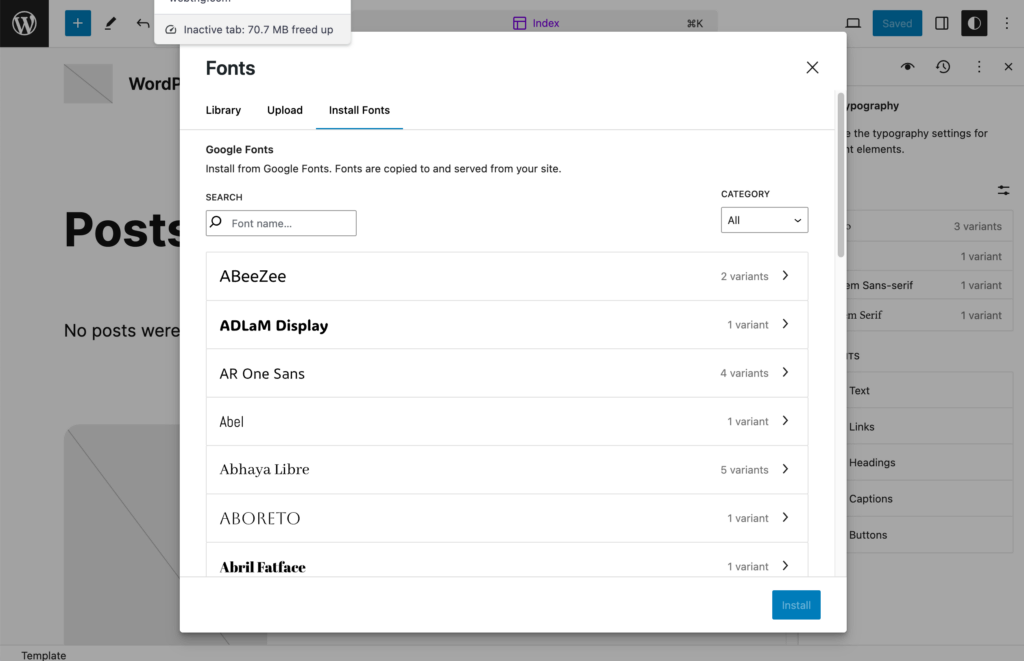
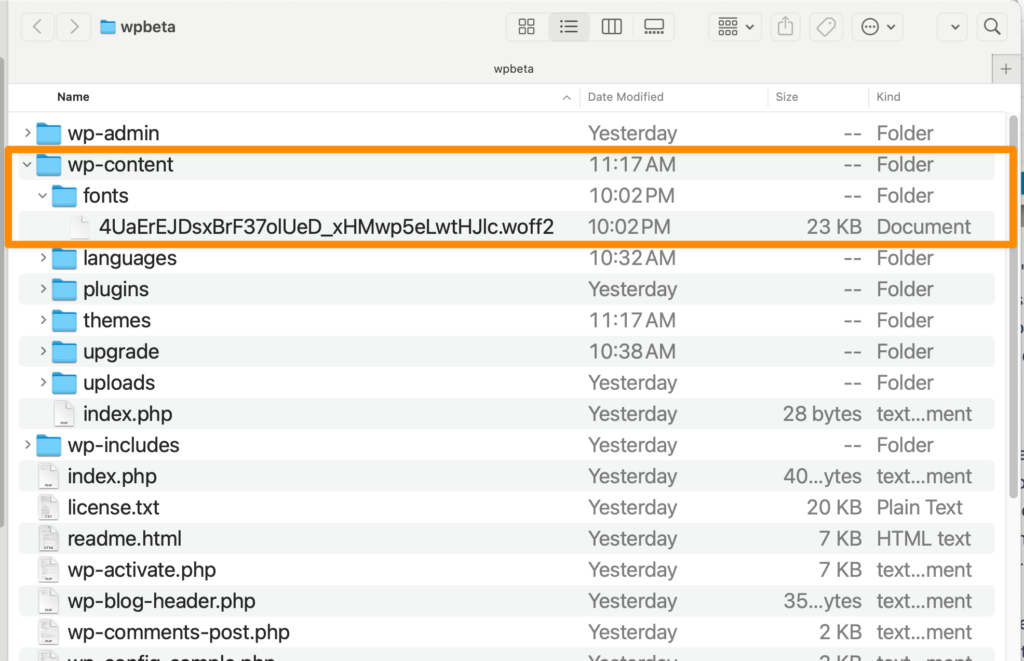
I’m just going to install something that will make it real easy for us to see. Let’s take a kind of a 700 weight and install it, and it says the font was successfully installed. WordPress is putting these fonts into the WordPress content folder, fonts folder, and here is our font. I had expected it would put them in the uploads directory, but this is okay. Now, I would have liked it if it had had the font name and variant in the file name. That would have been useful, I think.
Now, one advantage of this new font manager is that these fonts are available no matter which theme you use, so you can switch themes, and you still have your font library available. Okay, so here’s the one, Comic Neue, that we just uploaded.
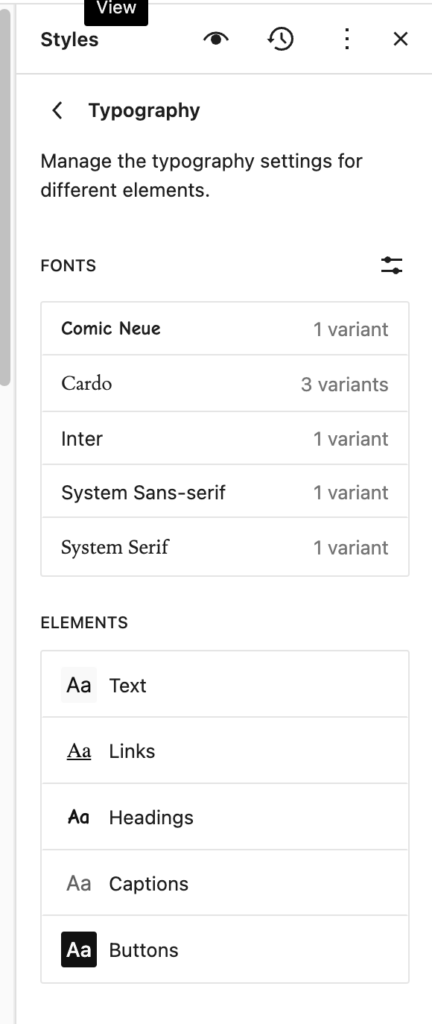
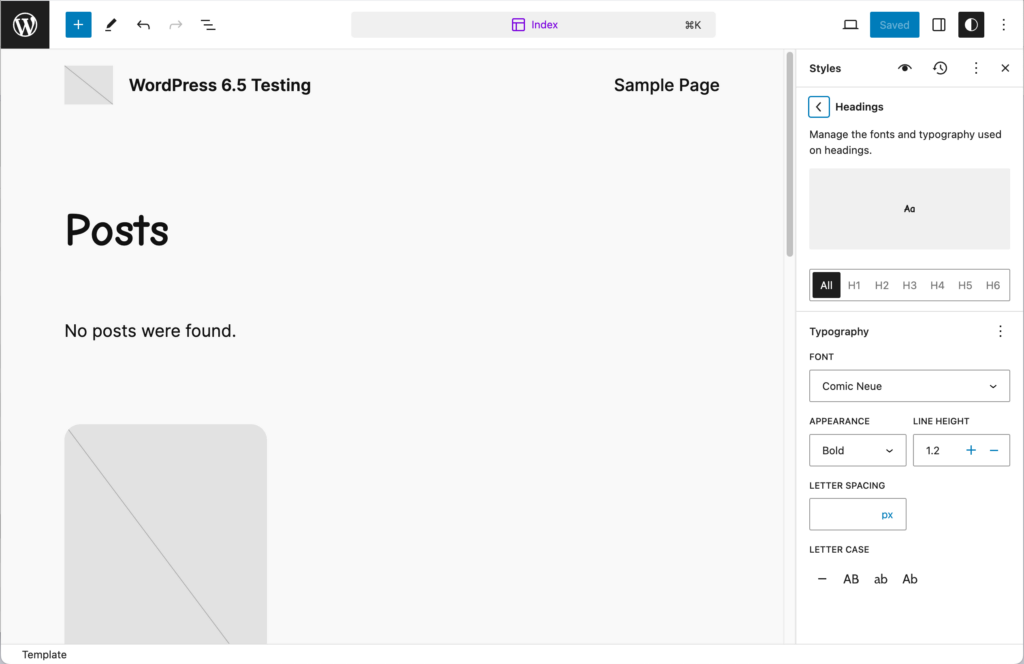
Below the fonts are the areas in the theme where you can assign them, which is convenient. All right, and let’s go to Headings, and we’ll pick the one we just installed.
Conclusion
That’s how the font library is working here. You’ll notice that we’re in the Site Editor, and we’re using the WordPress 2024 block theme. In Classic themes, we don’t have the option to go into the Site Editor, and so the interface for the font manager is not available. So I’m just pointing this out because a lot of people have enthusiastically talked about the font manager, but haven’t clarified that it’s only for block themes.
For people who are using block themes, this is going to be a nice feature. For people using classic themes, it’s not available, and there’s no word that it’s going to be made available for classic themes. It’s possible maybe some third-party developer could expose it, but it’s not available in Core. So I hope you walk-through useful and informative.