Table of Contents
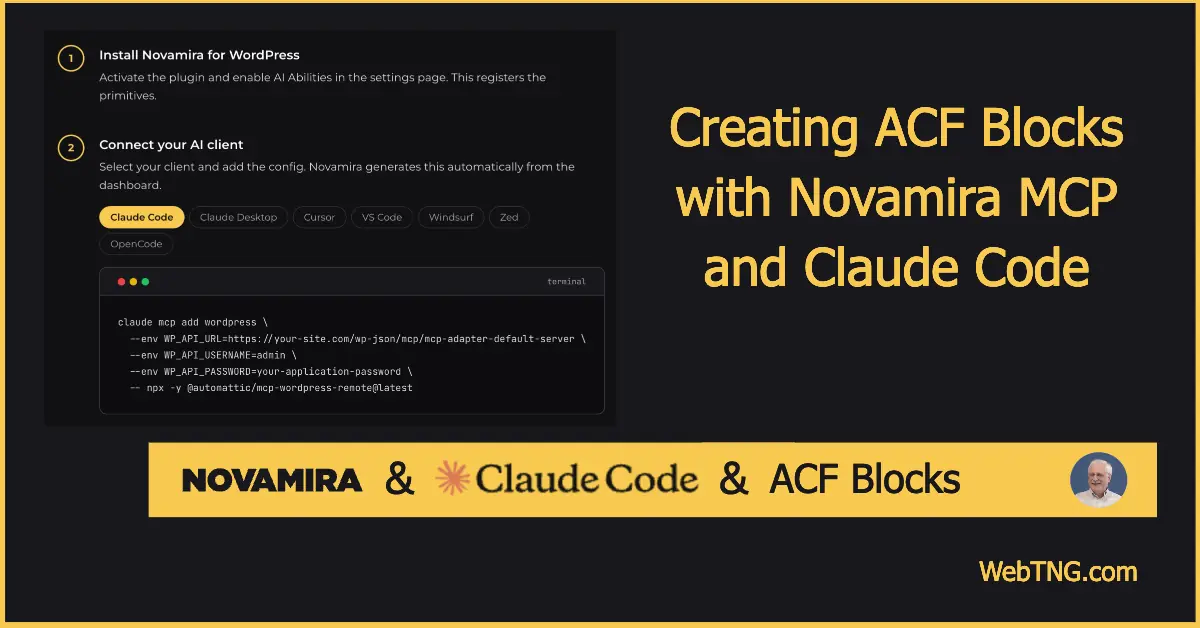
We often use ACF to create Custom Post Types and custom fields, but then need a way to display them on the frontend. In this tutorial, I explore how Novamira, Claude Code, and ACF Blocks can work together so an AI agent can generate working ACF blocks that can be used in the Full Site Editor to create single and archive templates.
Video Version
The visual walkthrough is shown in the video. In the text version we have a discussion of the concepts, the prompt used, and the result.
What Novamira and Claude Code Do
Novamira is a free, open source MCP server plugin that gives AI agents full access to a WordPress site from a safe, sandboxed environment. Once installed, it exposes a small set of powerful primitives that let an AI run PHP inside WordPress, query the database, call plugin APIs, and read or write files, all through the Model Context Protocol standard.
Claude Code is an MCP-compatible client that runs on your machine and can connect to MCP servers like Novamira. In practice, that means you can sit in Claude Code, describe what you want in plain language, and have the AI interact directly with your WordPress site, including planning the work, generating code, and creating or editing files through Novamira.
ACF Blocks extend the WordPress block editor by letting you register custom Gutenberg blocks that are powered by ACF field groups. Instead of writing complex JavaScript for custom blocks, you define fields in ACF and render them in PHP, which is well-suited to developers who are already comfortable working with templates.
The Test Setup
For this experiment, I used a local WordPress site running on DDEV on my Mac. The site included ACF Pro and two custom post types: Audio Books and Book Authors, connected by an ACF post relationship field called “book author relationship.” The Book Author post type had several custom fields, including a URL field for the author’s website, a date field for the author’s date of birth, and a repeater field for social links with subfields for the social site name and URL. There was also a relationship field listing the books associated with the author.
This is a fairly realistic setup that includes advanced field types like repeater and relationship fields, which are more challenging than simple text fields.
Step-by-Step: Connecting Claude Code to WordPress via Novamira
To get Claude Code talking to WordPress through Novamira I followed these simple steps that are outlined on the Novamira website. First, I installed and activated the Novamira MCP server plugin on the WordPress test site. After activation, Novamira added its own admin menu for configuration and settings. From there, I created a WordPress application password in the Novamira configuration screen, dedicated to this project, and copied the generated password so Claude Code could authenticate with the site.
Novamira also emphasizes security. It recommends running AI-driven changes on a staging or testing environment and keeping backups. Also, since only admin users can connect via application passwords and production use should happen over HTTPS.
Next, I added the Novamira server configuration snippet into Claude Code’s settings so it knew how to reach the WordPress instance, including the application password and site URL. After restarting Claude Code, the client detected the WordPress (Novamira) server and was ready to use it whenever a task required interacting with the site.
I then opened a new Claude Code session, made sure it was using the WordPress server for the “AI Testing” site, and put Claude into planning mode. The core of the process was a long, structured prompt that explained the site context (local DDEV environment with ACF Pro), the custom post types and their relationship field, the specific ACF blocks I wanted, how those blocks should behave in single templates versus loops, the fallback behavior for Site Editor previews, and the requirement to bundle everything into a plugin called something like “Book Authors ACF Blocks.” With that prompt, Claude used Novamira to inspect the site, plan the implementation, and create the necessary plugin code and files.
The Prompt Used
Here is the prompt that I used. Note that I refined the prompt through several sessions during testing, but I cleared everything out to start fresh for the video.
Using the wordpress MCP, the website https://aitesting.test/ is running on DDEV and has two Custom Post Types created using ACF Pro: Audio Books and Book Authors. The two Custom Post Types are connected by an ACF post relation field called Book Author Relationship.  I want to create ACF blocks for the custom fields that can be used in Gutenberg, both with the post editor and the Site Editor. That means if the block is added in the single template it will use the post id to pull the fields and if it is used in a loop it will use the post id from the loop context.

Lets start with the Book Authors Custom Post Type (slug of book-author).  Create 4 blocks:

1) the Author Birthdate Block should display the Date of Birth field (date_of_birth) with an option to set the date display format using PHP date format syntax. The block should have the options to input prefix text and postfix text to optionally go in front or be appended to the date of birth.

2) the Author Website Button block that outputs a button that has an input for the button text and uses the Authors Website custom field (authors_website) for the link. This block should also have a block option to allow the button to be text aligned left, center, or right.

3) the Author Social Links Block which outputs a list of links, one for each Social Media Sites (social_media_sites) repeater field.  The link Text should be the Social Site sub field (social_site) and the link should be the Social Site Link (social_site_link) sub field.

4) The Book Authors Books Block that outputs a list of the author's books from the Book Author Relationship field (book_author_relationship) in a grid with the book featured image and book title. The book featured image and title should be wrapped in links to that book post.  There should be a block option to set the height and width of the book featured image in pixels.  The Book Authors Books Block should have an option to set how many records to show per row. When placed inside a Group Block the Book Authors Books Block will adjust to the width of the group block.

A limitation of the Site Editor is that it does not have a Post ID record for context when creating the single template and as a result no preview is rendered in the Site Editor.  So in that case where there is no Book Author Post ID context, use the Post ID for the first Book Author (book-author) record.  Save these blocks in a plugin in the https://aitesting.test/ site named Book Authors ACF Blocks.
The ACF Blocks Created
The prompt asked Claude, via Novamira, to create four distinct ACF blocks targeting the Book Author custom post type.
Author Birthday Block
This block displays the author’s date of birth and includes configuration options to make it flexible in templates. It outputs the date from the author’s ACF date field and lets you specify the PHP date format so you can control how the date appears. You can optionally define prefix and postfix text to prepend or append text around the date, such as “Born on” before the date. The block is designed to work both when placed directly on a single author template and when rendered inside a loop, using the appropriate post ID in each context. In the Site Editor, testing showed that the block correctly pulled in each author’s birthday and honored the prefix text.
Author Website Button Block
This block renders a button linking to the author’s website, giving editors control over button text and alignment. It uses the author website URL stored in an ACF field and exposes a field for custom button text, for example “Visit Website.” It also includes a block setting to align the button left, center, or right, and it integrates smoothly in both archive and single templates, using the current post’s fields. In testing, the button appeared correctly, used the author’s URL, and responded to alignment settings as expected.
Author Social Links Block
The Author Social Links block pulls from an ACF repeater field to display a dynamic list of social media links per author. It reads each row of the repeater field, which contains the social site name and the corresponding URL, and outputs a list of links using the social site name as the link text and the URL as the href. Because it depends on the repeater, it adapts to each author, so one author might have Instagram and Twitter, while another might have Twitter, Facebook, and Reddit. On the front end, this block rendered the appropriate links for each author, and clicking them took visitors to the correct social platforms.
Author’s Books Block
The Author’s Books block uses the relationship field to display a grid of books associated with a given author. It queries books from the ACF relationship field that connects Book Authors to their books and displays each related book with its featured image and title. Both the image and title are wrapped in links to the individual book posts. The block exposes options to set the featured image width and height in pixels and includes a setting for how many books to show per row, allowing the grid to adapt to different layouts. When placed inside a group block, it adjusts to the group’s width, making it flexible in block-based designs. During testing, the grid displayed multiple books with images and titles, and the links correctly pointed to the single book pages.
The Moment of Truth – Did the Blocks Work?
With the plugin created by Claude and activated in WordPress, the next step was to test them by creating the single and archive templates for the Book Author Custom Post Type.
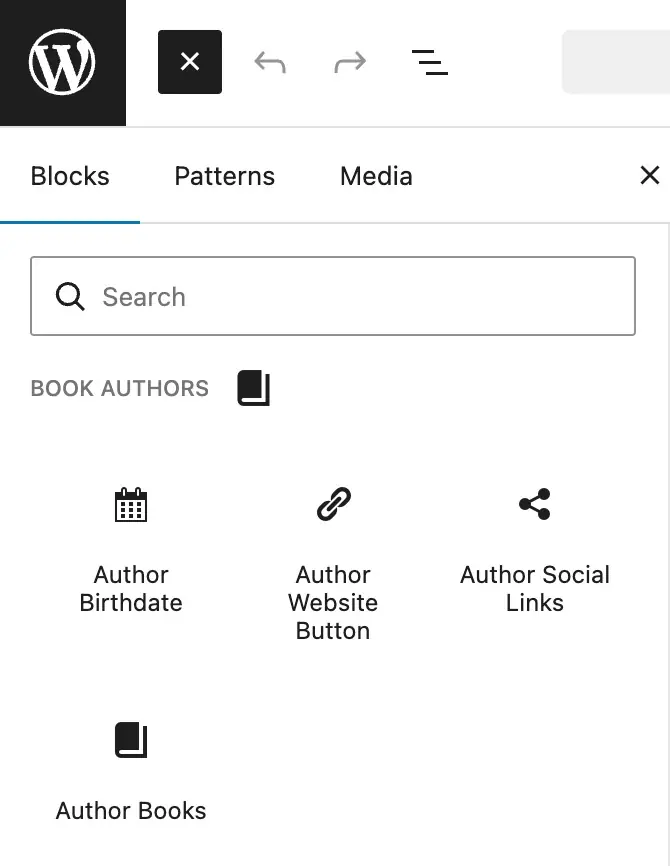
In the Site Editor, I created a new archive template for the Book Author post type, removed irrelevant taxonomy blocks (since this post type has no categories or tags), and added core blocks like the post title and a “Read More” link. After that, I inserted the Author Birthday block into the loop. The archive view correctly displayed each author’s birthday with the configured prefix text, which confirmed that the block was using the loop post ID as intended.
For the single author template, I created a new template, placed the Author Birthday block under the title with the “Born on” prefix, and added a columns block to arrange the featured image and text side by side. I inserted the Author Website Button block after the author details, then I dropped in the Author Social Links block after the other content in the column. Finally, I inserted the Author’s Books block below that the post content, tweaking the image dimensions and number of items per row.
On the front end, the birthday displayed correctly, the website button linked to the author’s site, the social links reflected each author’s individual accounts, and the book grid showed the correct related books with functional links to each book post. Awesome!
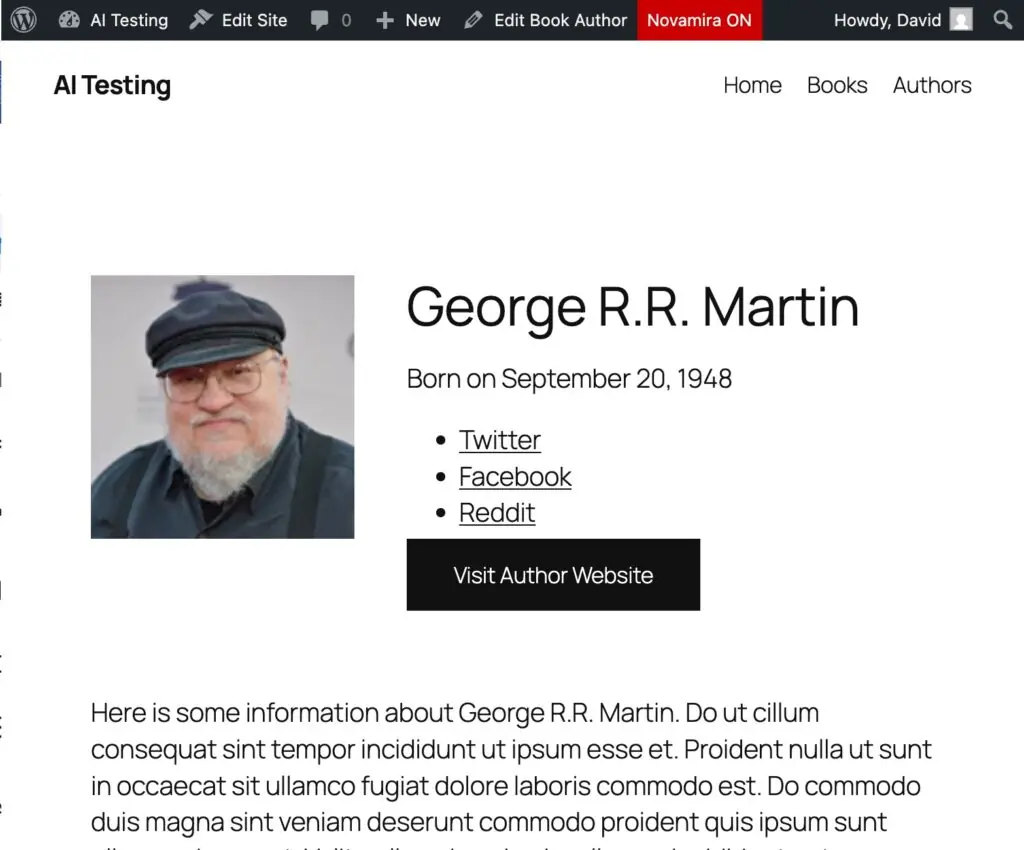
One limitation of the WordPress Site Editor is that it does not always have a specific post ID available when you are designing a single template. This can prevent dynamic previews from appearing. To work around this, the prompt instructed Claude to make the blocks fall back to the first Book Author record when no post context was available, so the editor would still show a meaningful preview.
From pasting in the prompt to having a finished plugin and working blocks took just under 19 minutes, including accepting a series of prompts from Claude to continue the process. That is significantly faster than hand-coding multiple ACF blocks and templates, even for an experienced developer.
In earlier experiments where Novamira was not set up correctly and Claude relied only on file system access, the resulting blocks did not work properly and the custom fields did not display, which underscored how important the WordPress context layer is. Once that context was available through Novamira, the AI could reliably wire up the ACF fields and block registration.
Security was also a concern. Some of the generated blocks accept text input from users, such as the prefix text and button label. Inspecting the code showed that the AI used appropriate sanitization functions for these fields rather than leaving them unsanitized. At least in this case AI followed best‑practices.
Discussion and Conclusions
Based on this experiment, a few conclusions emerge about using AI, Novamira, and ACF Blocks for WordPress development.
AI combined with proper MCP context is a real time saver. When the AI has the right access via Novamira, it can plan and build working ACF-based solutions much faster than hand-coding, especially for repetitive or boilerplate-heavy tasks, and the roughly 19‑minute turnaround for multiple functioning blocks is a good example of that. Context access is essential; without the WordPress context that Novamira provides, the AI’s file‑only approach left important pieces broken, while the context‑aware setup produced working blocks.
This stack is not quite “set and forget” yet. The system is powerful, but it still benefits from an experienced developer overseeing the process, refining prompts, and reviewing the generated code, so it does not feel entirely ready for prime time. It is still a bit bleeding edge.
AI is likely to change how WordPress sites are built rather than removing the need for professionals. WordPress has always empowered do‑it‑yourselfers and power users, and AI integrations are a natural extension of that ethos, but simple AI‑built sites without a solid content management layer will likely become maintenance headaches, and complex AI‑assembled sites built by people who do not understand WordPress will face update and stability challenges. Skilled WordPress professionals will still be needed, but their workflows and tools will evolve.
We are still early in this transition. The way we build WordPress sites in a couple of years will likely look very different from today’s workflows, with MCP‑driven AI agents playing a bigger role. For now, it makes sense for site builders and developers to experiment thoughtfully and understand that the ecosystem is shifting but far from settled. Novamira itself gets a lot of the details right: its setup process is relatively straightforward compared with some other AI integration options, and its focus on limited, well‑defined primitives, staged environments, and crash recovery makes it a good foundation for AI‑assisted WordPress work. As a free, bring‑your‑own‑AI solution, it is well worth exploring if you are serious about integrating AI agents into your WordPress development workflow.