Table of Contents
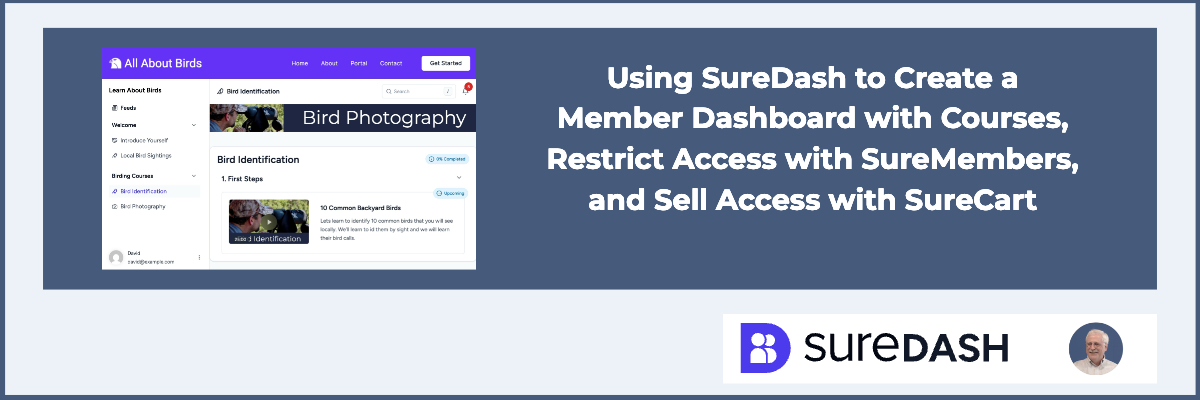
SureDash is a new plugin from Brainstorm Force, the makers of the Astra theme, Spectra, and the Sure line of products. SureDash is a plugin that allows you to create a membership dashboard in your WordPress website. It also allows you to set up and offer courses. It’s fairly easy to monetize access to your dashboard and/or to your courses.
Video Version
What I show in the video is a more or less complete walkthrough installing SureDash. It also shows using two other products. SureMembers is used to restrict access to parts of the website and allow access for certain user groups. And then we’re also going to look at SureCart, which is a plugin and platform for e-commerce. SureCart has integration with SureMembers. SureMembers has an integration with SureDash, so you get the idea. That means though is that it is a fairly long video. Basically we create a wireframe of a member dashboard so that you can see how the different plugins fit together.
SureDash Groups and Spaces
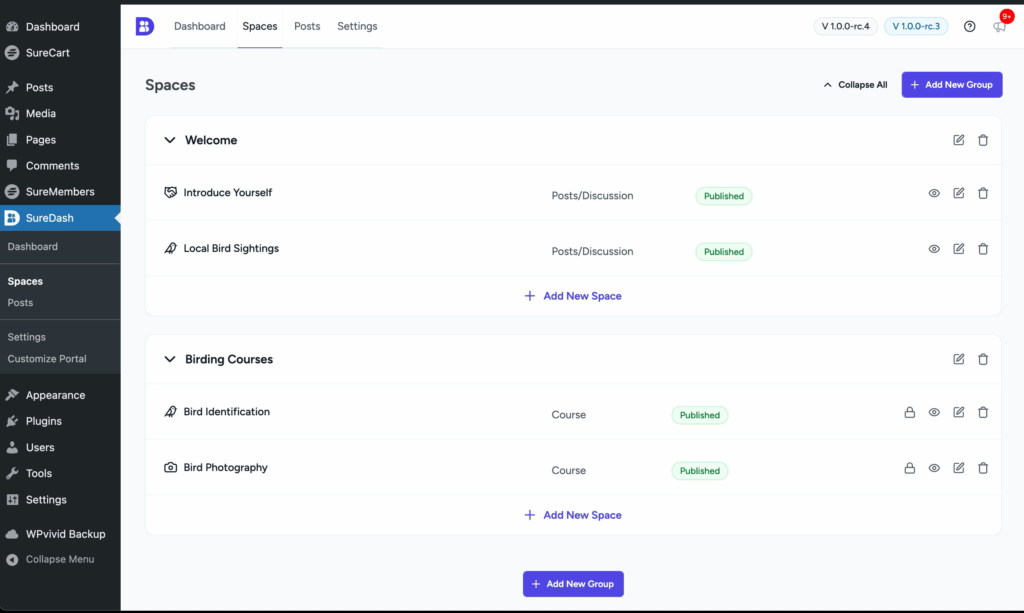
SureDash lets you create groups and under groups create spaces. This is how you organize your topic areas and courses. These are the types of spaces you can create. The list gives you an idea of possible use cases.
- Singe Page/Post
- Discussion
- Course
- External Link
- Video Playlist (roadmap)
- Even (roadmap)
- Form (roadmap)
- Booking / Appointment (roadmap)
- Resource / Attachment (roadmap)
- Collection (roadmap)
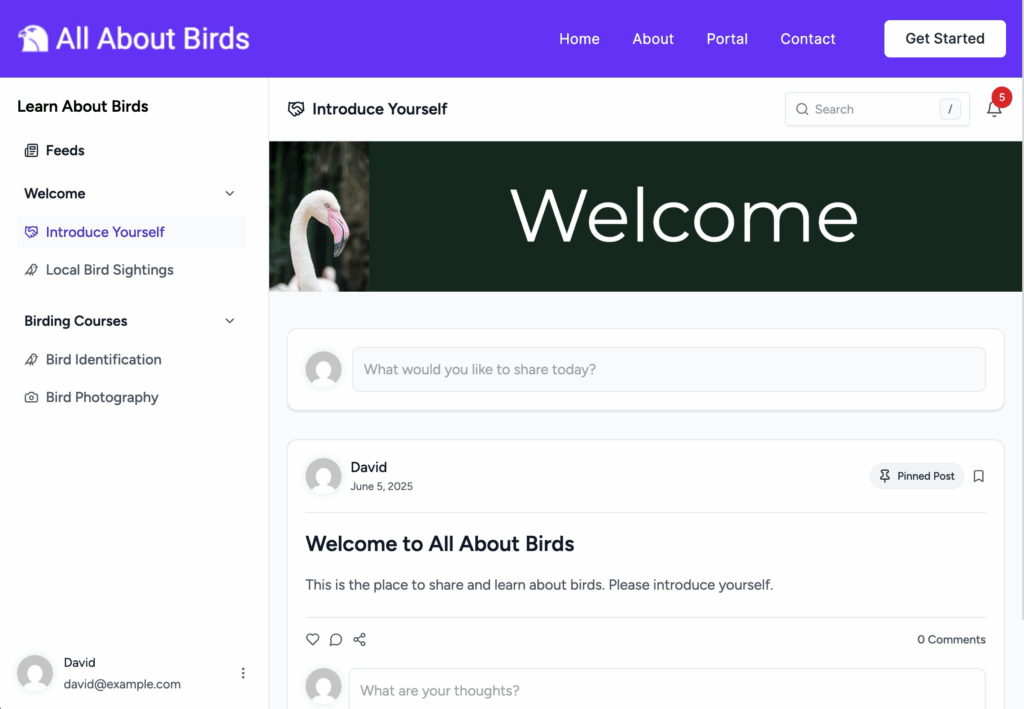
Here is the screen where you create groups and spaces. I created two groups (Welcome and Birding Courses) and there are two spaces in each group.
This is the portal with the two groups and their spaces on the left sidebar.
Use the Site Editor with SureDash
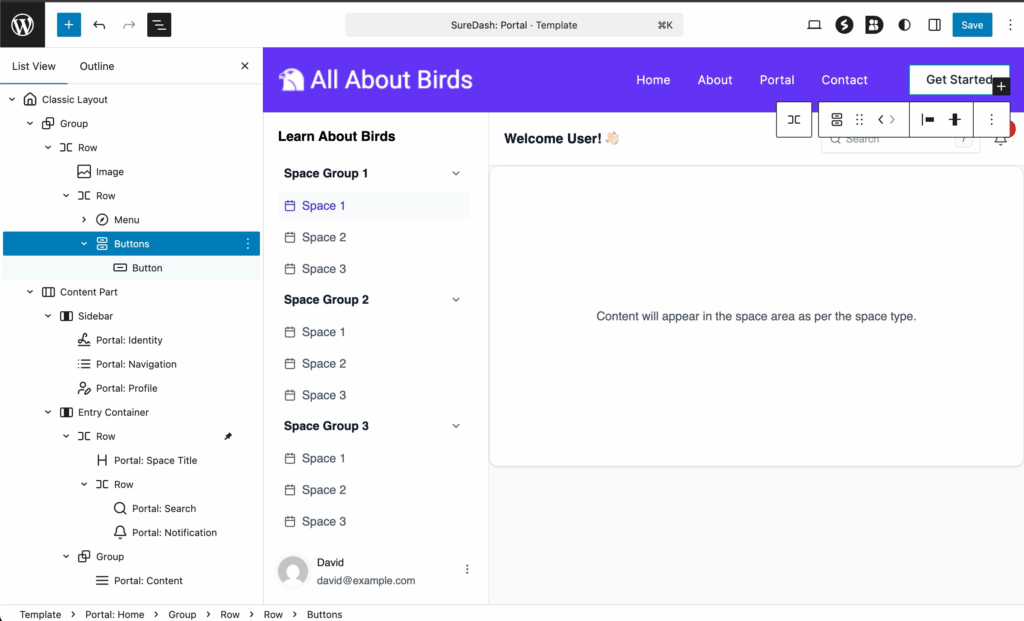
You use the Site Editor to layout your courses. This makes the layout flexible as you can use and arrange the blocks as makes best sense for you, though you are working within the general frame of the portal. Note the structure list of blocks on the left side of the Site Editor.
Order of Steps in Creating Your Member Dashboard
These were the steps I took in creating the dashboard, restricting access, and monetizing it.
- Install SureDash free and pro.
- Go through the SureDash settings. Decide if users have to register for the site or not to get access to the dashboard. They will need to register for the site to comment, so I imagine most people will make the portal private.
- Create the dashboard structure of groups and spaces. Add the suggested thumbnail, banner, and featured images. Also create a post for each space.
- For course spaces also add the video duration.
- Customize the User Profile links as desired.
- Install SureMembers.
- Setup the desired User Roles. I used one for free (that was created with SureDash) and one for paid course access, which I added.
- Create an access group for each of the user roles you want to use. I created one for free users and one for paid course users.
- For the free access group add the message about needing to register for the site and the link to the site registration page that SureDash created.
- Restrict access to spaces that you want to monetize. Add the message about paid access and the button links for course payment. I used a placeholder link until I had the real one from SureCart (see below).
- Install SureCart. SureCart has two parts, an online platform where you setup your account and a plugin that you install on your site that links the site to the online platform.
- Setup your test payment processor.
- Create the membership product. In the integrations area of product setup, add the option to create a WordPress user and assign the role you created for course buyers. Also, add the SureMembers integration to assign the user to the access group that has access to the courses.
- Get your link for using Instant Checkout
- Go back to SureMembers and add the Instant Checkout link to the button that shows when someone tries to access a course, but has not purchased it. Add the role for paid users to the access group that restricts access to the courses.
- Test, test, test.
Discussion and Conclusions
From a distance, it seems like SureDash has a bit of an identity question. Portal, Dashboard, Community? Is SureDash a community plugin like BuddyPress, BuddyBoss, and FluentCommunity, or is it something else?
I’m going to suggest we think of it as a “member dashboard with courses”, and I have for two reasons for this view.
First, I remember when Presto Player was launched, Adam Preiser, the cofounder for SureDash and PrestoPlayer, at the time lamented that there wasn’t a simple course system in WordPress. In retrospect, I think even back then he was thinking of creating a solution like SureDash.
Most of the WordPress learning management systems, i.e. course options, get complicated very quickly, but many creators don’t really need that. We need a solution that is straightforward and easy for members to use. It is clear that SureDash is trying to hit that target. Note how SureDash uses simple WordPress and the features of the WordPress platform, like user roles, Custom Post Types, the Site Editor, and so on. The SureDash team is intentionally building on WordPress strengths. And that is a strength of SureDash.
Second, I think the goal is to provide more of a member dashboard than a full-blown community. Social media platforms have become popular, and people have come to expect all of the bells and whistles when it comes to the community experience. However, tracking a large number of user interactions, states, and notifications doesn’t really scale well with WordPress, especially when the number of users grows. Some people do want or need a full-blown community, but many professionals need to take care of business.
It seems like the SureDash goal is to provide enough of a community experience to allow course creators and coaches to have the tools available to share their expertise, for developers to interact with their customers, for agencies to communicate and provide resources for their clients, and so on, but not to build another Facebook, Circle, or LinkedIn.
As we saw, SureDash integrates with other plugins in the Brainstorm Force / Sure lineup. This means that users don’t have to wait for them to create all of the features just for SureDash, but instead user can leverage integrations with SureCart, SureMembers, Presto Player, SureForms, and so on, but also, because it is straight WordPress, users are not tied to any one product or line of products.
I think the main “con” of SureDash is that today it is “version one,” its new, the user interface could still use some refinement, and it is going to need time for roadmap features and user feedback to help it grow. Out of the gate it looks like it is already a good option for course creators. I imagine over time more targeted use cases will be developed and SureDash will become a popular choice, like the other Brainstorm Force / Sure products.