Table of Contents
This is a review and walk-through of the Comment Edit Pro plugin. The built-in WordPress comment system has been largely ignored. It is lacking in features, is difficult to manage, and is prone to spam. Consequently, some people disable comments site wide. However, comments are known to increase user engagement and can help with SEO. I’ve been using Thrive Comments for a number of years to address these shortcomings. Thrive Comments has a number of nice features and used to have a reasonably priced lifetime option. However, the company was recently sold, it no longer has a lifetime option, and I’ve begun to get a lot of spam comments. The author of Comment Edit Pro is a member of the Dynamic WordPress group on Facebook. It provides a number of enhancements to the default commenting system and I wanted to see how they worked.
This is the second post. An earlier post looked at the free version of the plugin, Comment Edit Lite.
Video Version
Pricing and Documentation
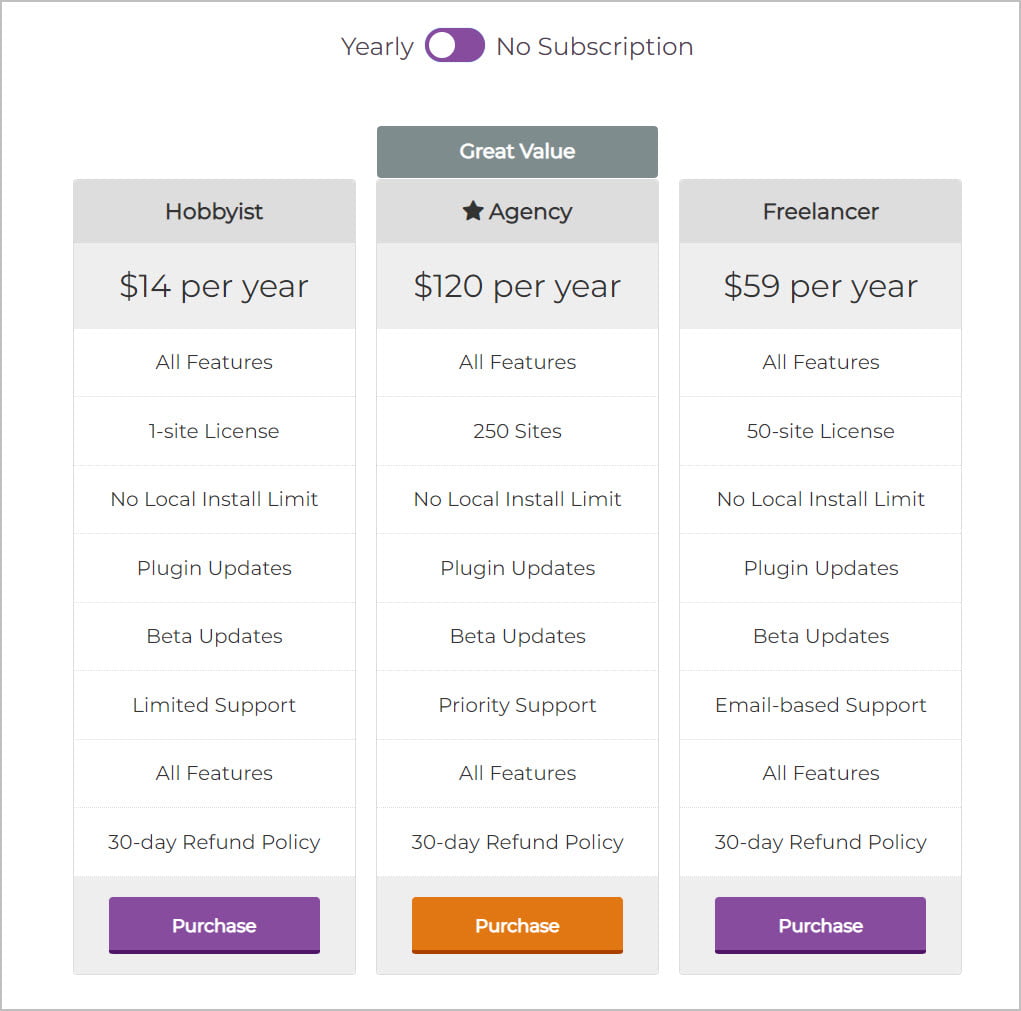
Comment Edit Pro is available from the author’s website. The pro version offers annual packages. Note, there is no lifetime option.
Walkthrough of the Features
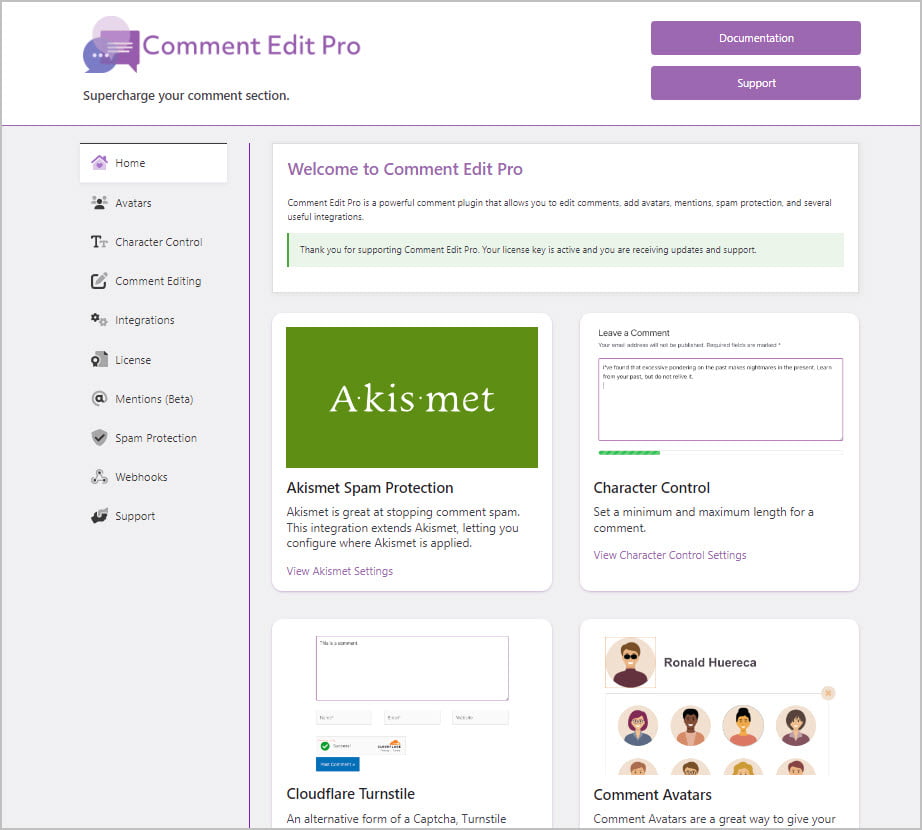
When you have Comment Edit Pro installed and activated it replaces the Simple Comment Editing’s settings pages. The Home panel has cards for each feature, but you can also access the settings using the vertical menu on the left.
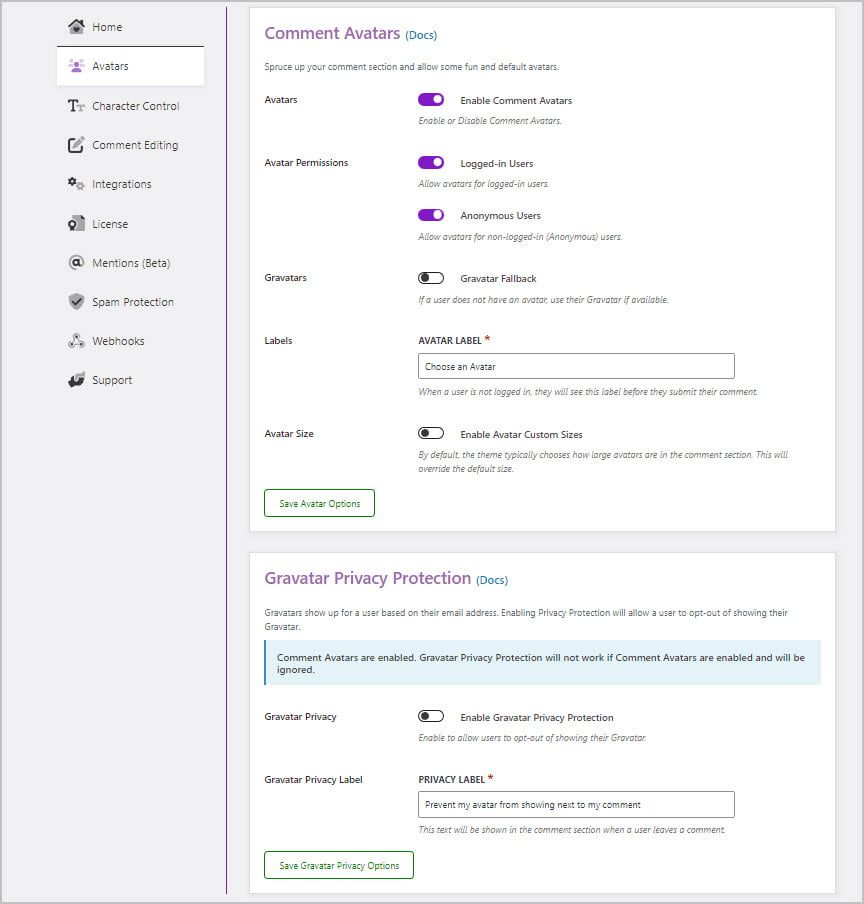
You can enable custom avatars and then on the frontend visitors can pick an avatar to use. There is also an option to give the visitor the option to not use Gravatars, because there have been some concerns about privacy with Gravatar.
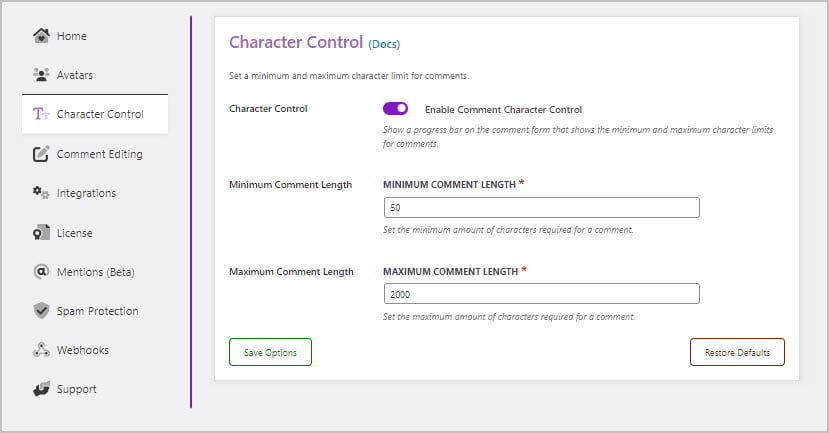
There is the option to set a minimum and max limit on the number of characters allowed.
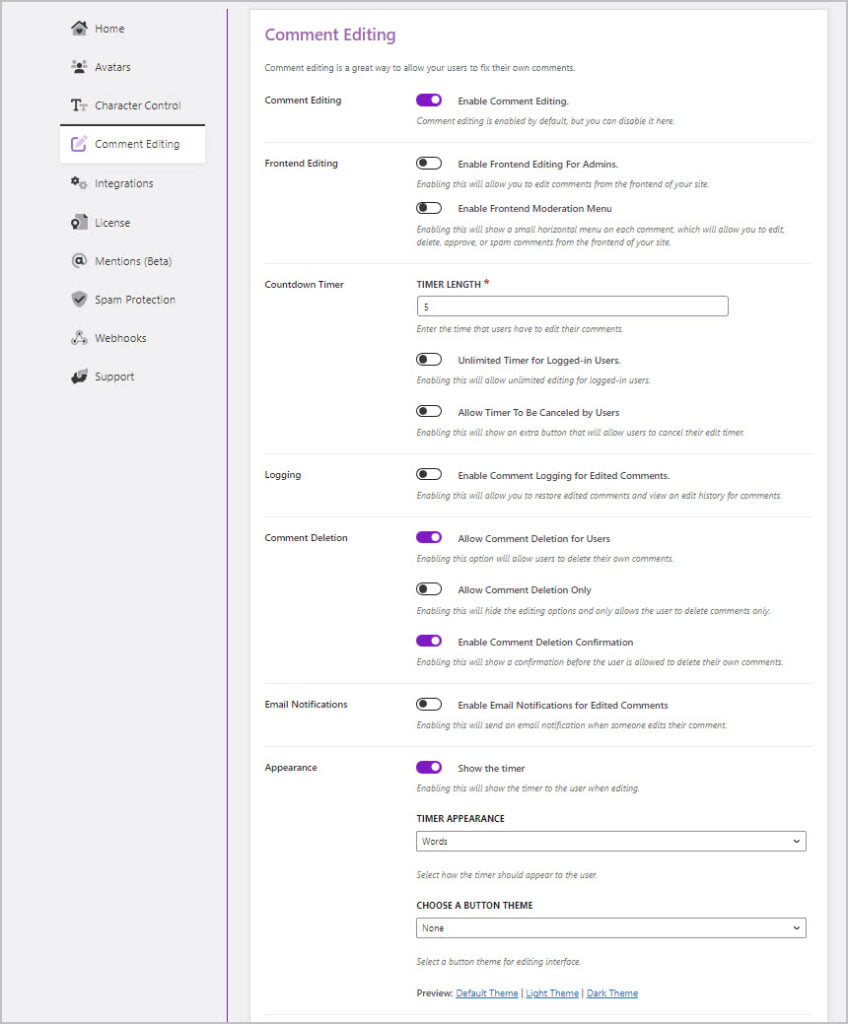
On the Comment Editing panel we have the settings from the free plugin plus a lot of extra goodies in the pro version. One of my favorite features is the ability for the admin to edit comments and moderate comments on the frontend.
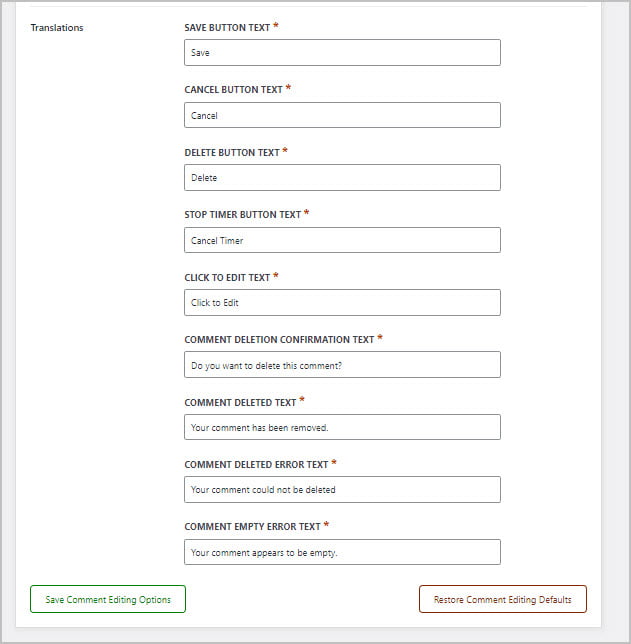
There are places where you can change the labels that show on the front. You can use that for translation to a single language or just tweak them.
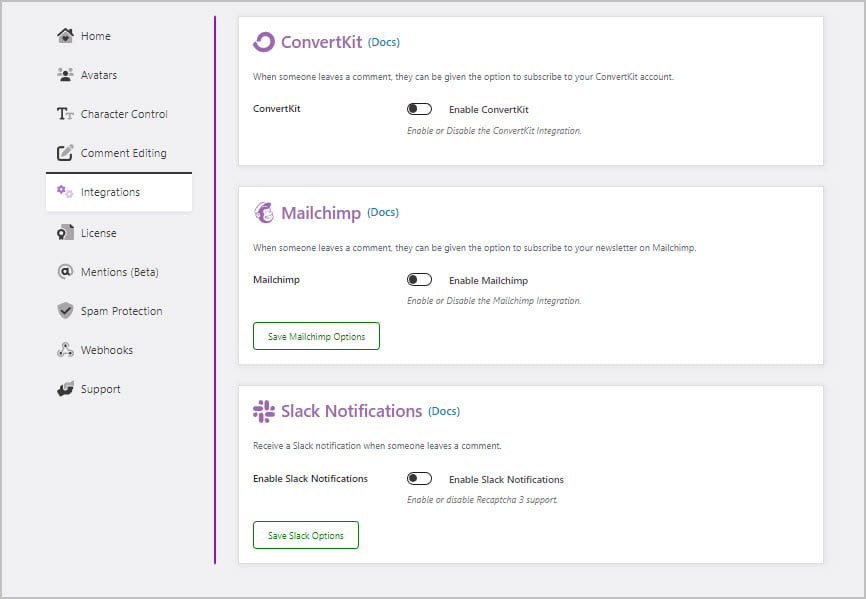
There are two options to offer newsletter signups, ConvertKit and Mailchimp, as well as the option to post notifications to Slack when a new comment is submitted.
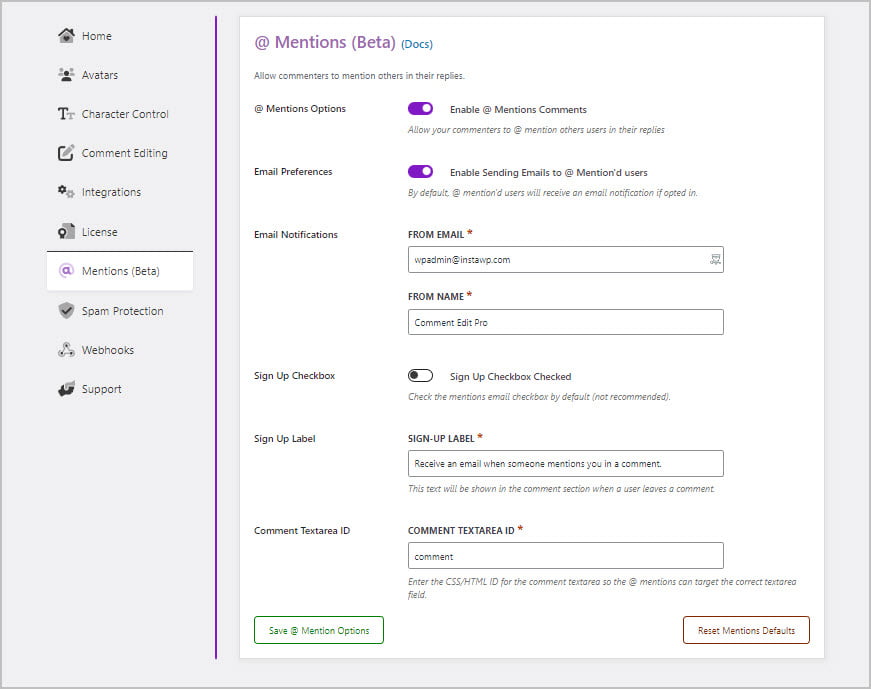
Mentions is a nice feature. It should probably be part of WordPress core. There is the option to send an email to someone when they are mentioned.
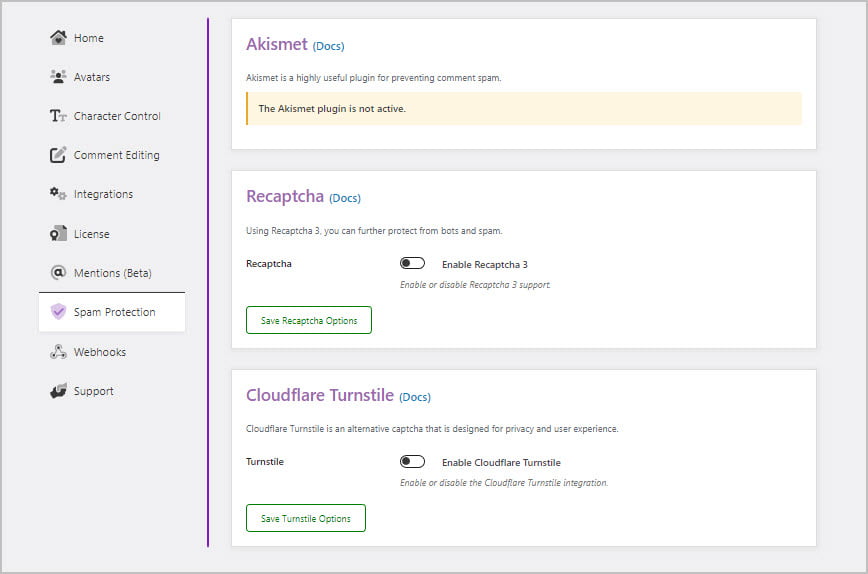
Anti-spam measures are really important. The comment area is often a spam magnet and a big problem for WordPress site admins.
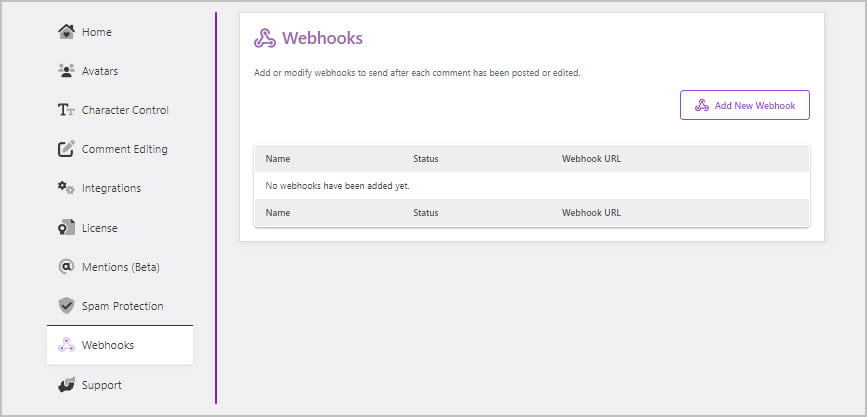
If you aren’t using ConvertKit or Mailchimp you can still connect with your email platform, or pretty much any service that supports webhooks. This is an advanced feature and provides a lot of flexibility.
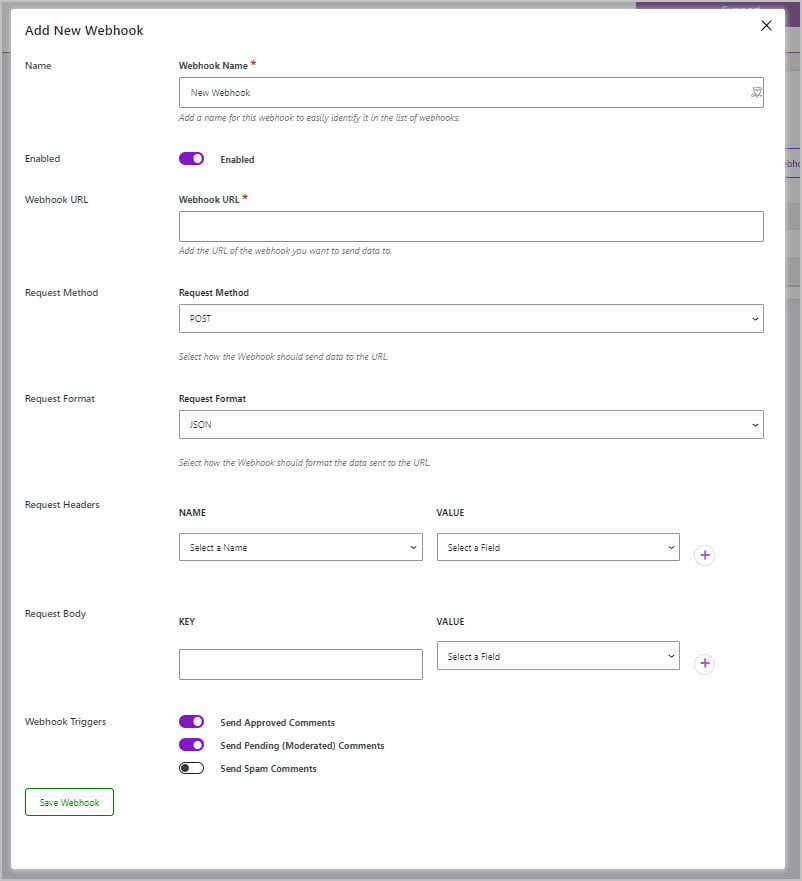
This is the interface for creating a webhook integration. You will need the specs from whichever platform you are connecting to.
Summary and Conclusions
Comment Edit Pro has a lot of nice features:
- Features:
- Comment editing
- Frontend comment editing and moderation
- Edit Logging
- Number of character limits
- Custom avatars
- Gravatar privacy options
- Newsletter signup options, Slack notifications, custom hooks
- Anti-spam options
- Mentions
As I was working with Comment Edit Pro I noticed some things that would be nice to have that were missing:
- What’s missing:
- No ability to add your own avatar images
- No post rating option
- No up / down comment voting option
- No commenting using social account
Comment Edit Pro is from a talented developer who listens to users. I’m hopeful that he will continue to enhance the plugin so that the collection of nice features feels like a full solution. I think it would be especially nice if those has last two missing features could be added: up / down voting on a comment and being able to comment using a social account.
If you are looking for a comment solution it might be worth checking out Comment Edit Pro and speaking with the developer.