Table of Contents
Advanced Themer is a plugin that works with Bricks Builder and adds a ton of features. They recently added the Advanced Themer CSS framework which is easy to use and well integrated with Bricks. In the video version I show how to set it up and then use it together with the Bricksmaven template collection to quickly create a demo site.
The video has the full walk-through. This article includes some summary information.
Video Version
About the Advanced Themer Framework
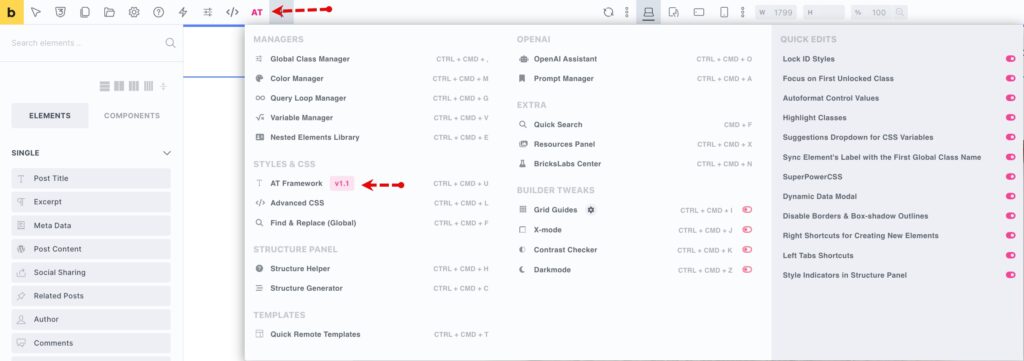
The AT Framework is a new feature of Advanced Themer. You enable it by access its settings from inside Bricks, on the Advanced Themer menu.
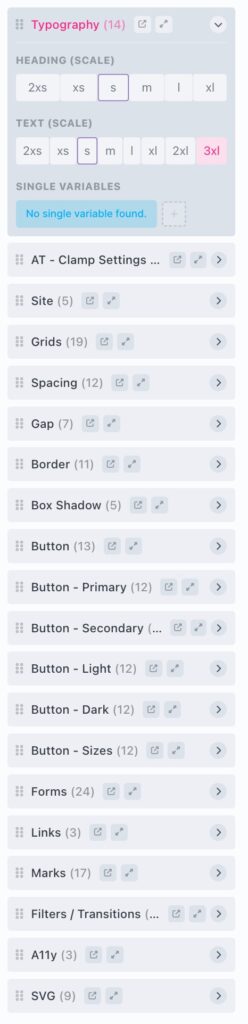
Once you click on that menu item then it opens a modal with the various framework features. The top section are categories of variables, such as for typography and spacing. I turned all of those on.
The second section is for color palettes or collections. I just need one, but some people may want more than one palette.
The third section is for CSS classes. Again, I turned these all on. The fourth section is for auto-populating the Bricks global theme style settings. I enabled all of these also. The bottom two sections are for controlling advanced style sheets and also for special CSS recipes. On. Be sure to save before closing the modal.
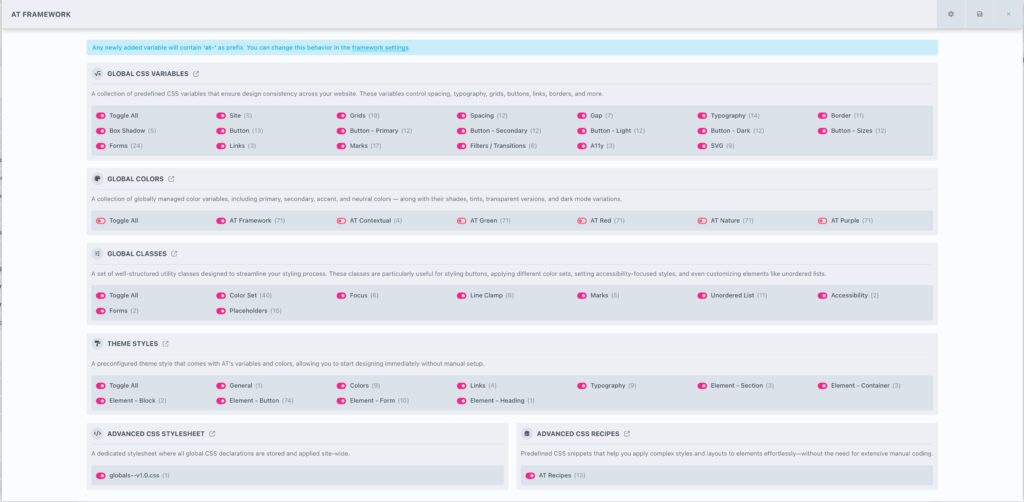
There are four parts of the framework that you can manage: the classes, the variables, colors, and the stylesheets.

Once the framework is setup, you can access and apply the variables by clicking on the CSS icon next to any of the input boxes. When you do then you get a popup.
Using the Bricksmaven Templates
There are a number of template collections for Bricks. Bricksmaven is one of the first to offer support for the AT Framework. When you purchase a license then you get a URL and access key for the template set you selected. You enter that into the Bricks settings page for templates.
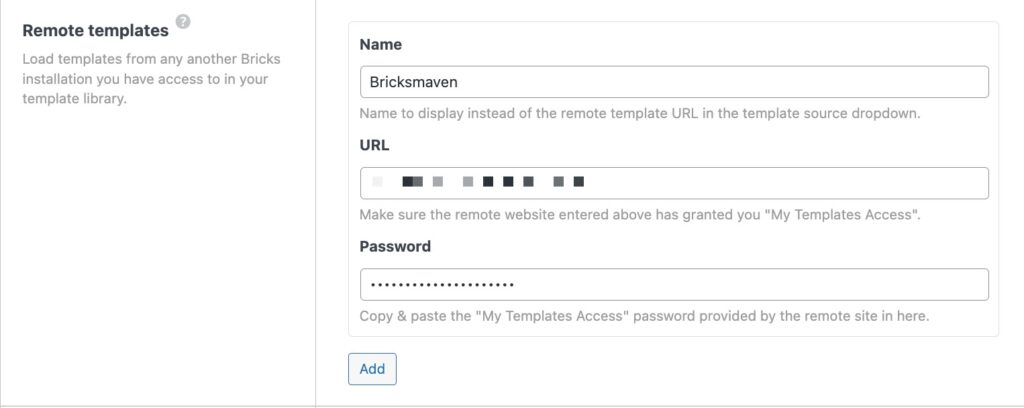
Once you do that then you can access the Bricksmaven templates from inside of Bricks, pick a category of template, and then pick from the provided templates.
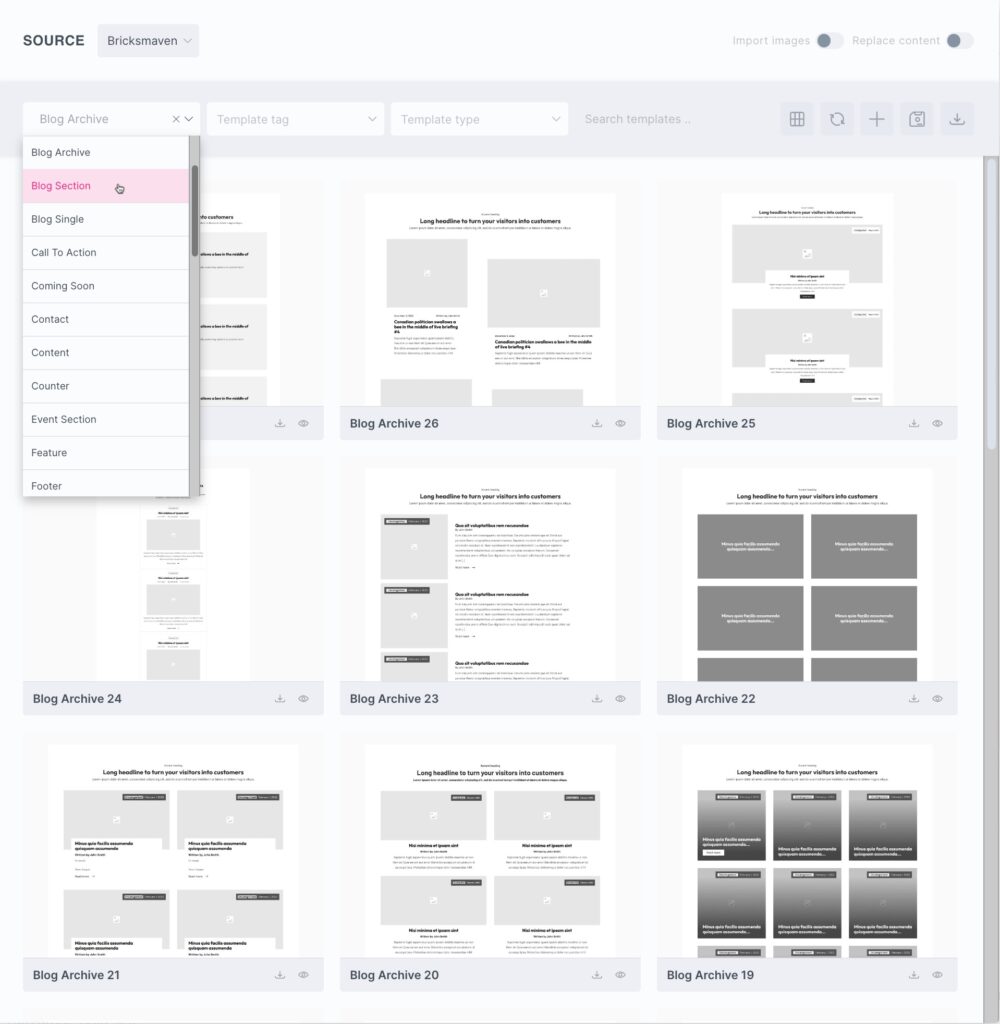
In the video I inserted Bricksmaven templates and created templates for the header, footer, blog, post single, contact, and about pages. It only took about 10 or so minutes to create all of those.
Discussion
I was able to quickly create a demo site test site with some demo pages using the AT framework and the templates and sections from Bricksmaven. I’ve been really pleased with the Advanced Themer framework. It’s extremely simple to set up and use, it’s integrated deeply with Bricks, and it utilizes a lot of the features that Advanced Themer offers.
I think that the Advanced Themer framework will appeal to a lot of people who want something simple. Some of the people who are maybe using the Core Framework might like the Advanced Themer framework, especially if they are not using the Core Framework for Gutenberg or other builders. Of course if you’re using it in several different contexts then it has that advantage that it’s cross builder. People who are using Automatic CSS are probably people who want to have a lot of control and access to all of the advanced features, so the Advanced Themer framework might be a little too simple for them. Also, like the Core Framework, ACSS also of course supports several different builders.
I didn’t have any issues with Bricksmaven. It was easy to browse the templates from inside of the Bricks Builder, there seemed to be a wide variety of categories, and the templates are available for use with different CSS frameworks. That’s my look at the Advanced Themer framework and quickly populating some pages with demo data using Bricksmaven. I hope you found it useful.