Table of Contents
The Core Framework is a new toolkit for creating and customizing your own CSS framework. There is a UI for generating your CSS classes and variables and a WordPress plugin. At launch it has WordPress extensions for Gutenberg, Bricks, and Oxygen. This post is a summary of the video.
Three Parts to the Core Framework
There are three parts to the Core Framework. There is the online web app where you can specify and generate your styles and CSS variables. There is the WordPress plugin, which includes the same UI as the online web app. There are also the extensions for Gutenberg, Bricks, and Oxygen which you install with the plugin.
The UI for Creating Classes and Variables
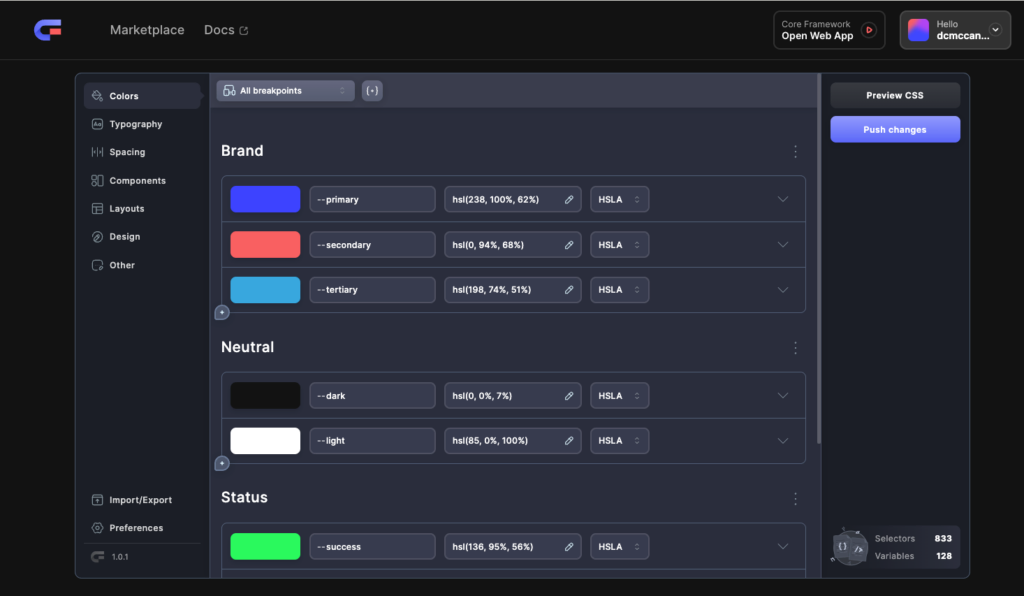
It is probably a good idea to start with the preferences and set your root font size and the container widths. You will want to coordinate these with the settings for your theme or builder. Each of the sections in the size menu are for groups of CSS classes or variables. You can select and add more and remove ones you don’t want. You can also totally customize the settings for each one. Note the All Breakpoints dropdown at the top. Here you set your breakpoints and this is another thing that you should coordinate with your theme or builder. Use of the online web app is free, but you have to create an account on the site.
WordPress Plugin
The WordPress plugin is also free. You can download it from your account page.
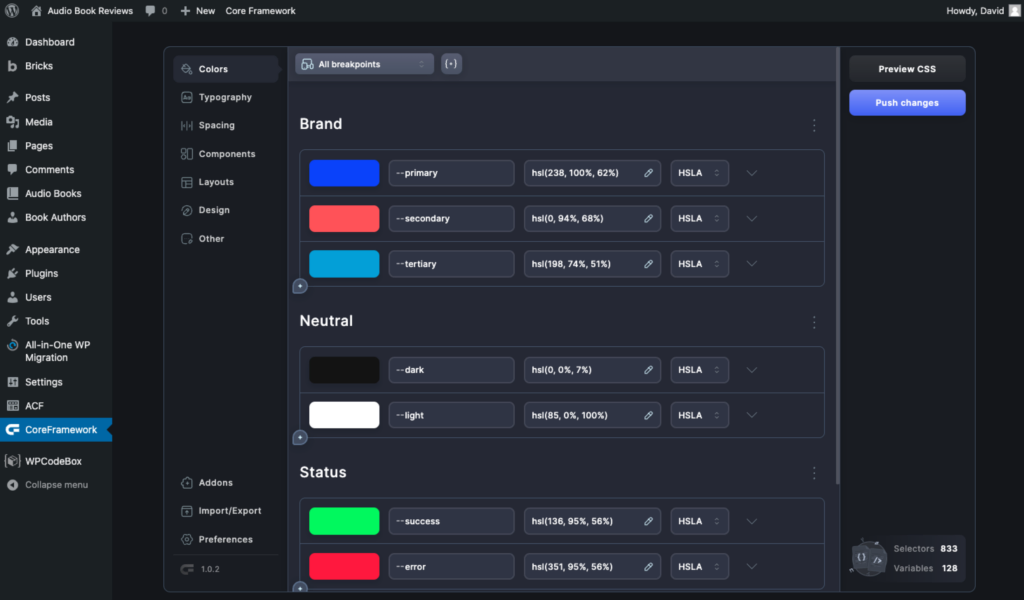
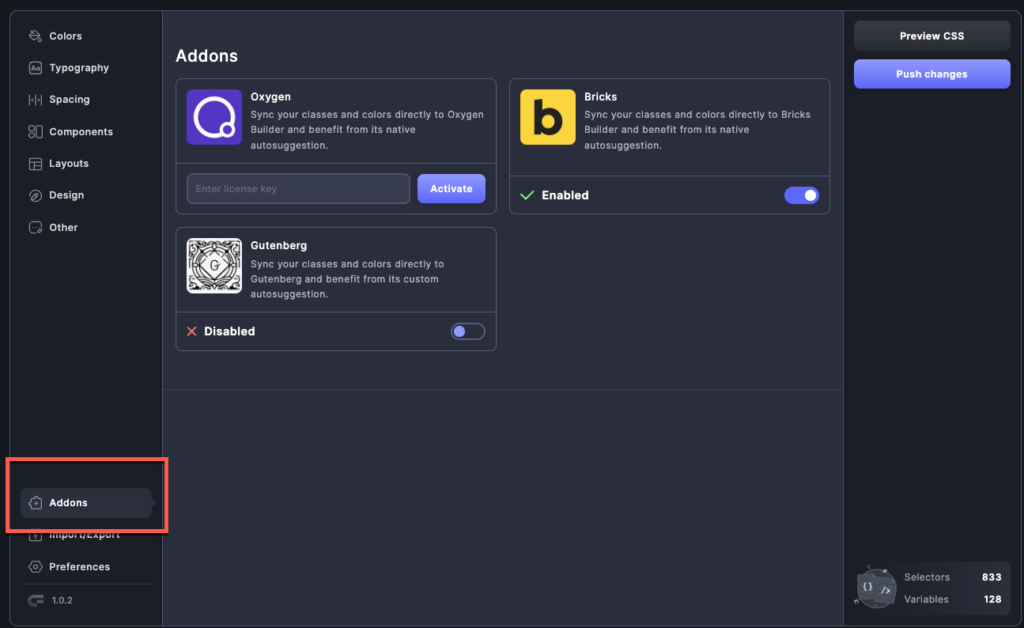
You have the same UI as the web app for generating your CSS classes and variables. Additionally, there is a menu item for Addons extensions. Be sure to enable the appropriate one.
Core Framework Builder Extensions
The WordPress plugin is the way you deliver / install the builder extensions. The extensions have the advantage of auto installing the stylesheet, so you don’t have to manually do so. The WordPress extension gives you an options panel inside of the Gutenberg right side block options area, which is very convenient. The Bricks and Oxygen extensions make it possible to pick classes and variable for dropdown lists inside the builder. I found that the extensions seemed like they could still use some work.
Discussion
After trying out the Core Framework, here are my conclusions:
- Overall the Core Framework is very impressive, but not all parts are at the same level.
- The UI for Generating classes and CSS variables is awesome. It is cool that you can use it on the web or from within WordPress.
- The Extensions need more work (or docs).
- Confident we could get the stylesheet version to work with Cwicly, but then you would not have the UI integration.
- I expect that people will want a UI integration for their builder of choice.
- Improving and adding builder Extensions is where I’d put attention.
- Not ready yet for production use, but hopefully it will be soon.