


Table of Contents
Two and a half years ago, in the Dynamic WordPress Facebook group, someone posted about a new WordPress form builder plugin called Bit Form and suggested I take a look at it. So I took a look and this comparison was first published back then in February 2021. The review back then found that the only criteria where Bit Form out performed Fluent Forms was on price. Back then Bit Form was new and only had 80 active installs and Fluent Forms had more than 50,000 active installs. Both plugins have had a significant number of updates and growth since then, so I have completely revisited all of the comparisons and expanded the review, so lets look at the current state and new results.
Overview of the Two Plugins
There is no question that Fluent Forms and Bit Form are competing in the same space. They both offer a simple contact form as well as the ability to create more advanced forms using multiple field types, conditional logic, and simple payment options. However, they are not carbon copies of each other. The interfaces are different and they had varying advanced features.
Fluent Forms
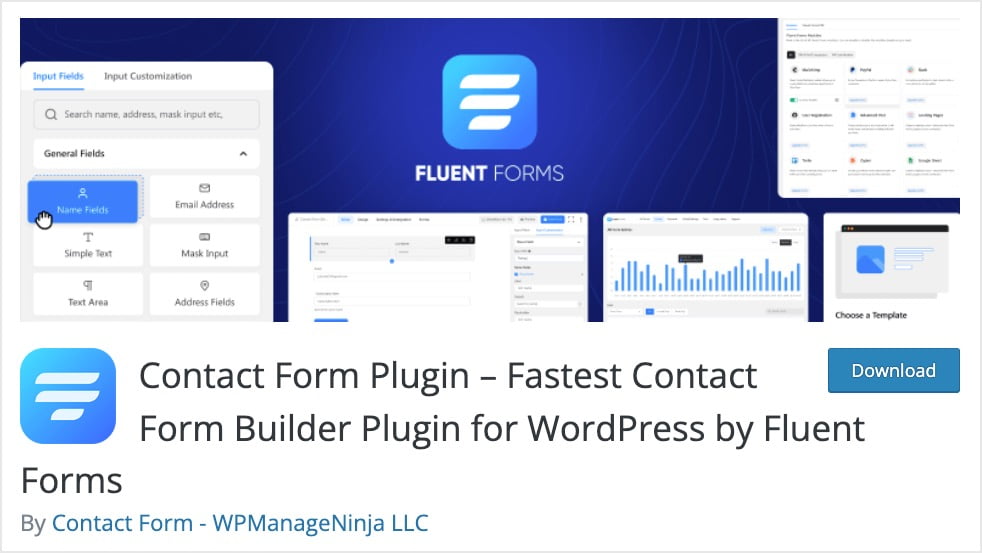
Fluent Forms has a free version available in the WordPress plugin directory. It now has more than 300,000 active installs (up from 50,000) and 457 five star reviews (up from 145).
A premium version is available on the company’s website. It is available in annual packages ranging in price from $47 a year for one site to $159 a year for unlimited sites. Note that this is a first year discount and the pricing for subsequent years is higher, as shown in the screenshot.

Fluent Forms also offers lifetime packages, ranging from $239 for one site to $719 for unlimited sites. Note that Fluent Forms occasionally has sales.

Fluent Forms is feature rich, with more than 45 field types, calculated fields, conditional logic, chart reports, more than 45 third party integrations, and a number of other features.

Bit Form
Bit Form also has a free version available in the WordPress plugin directory. It has more than 2,000 active installs (up from 80) and 47 five star reviews (up from 5).

A premium version of Bit Form is available on the company’s website.
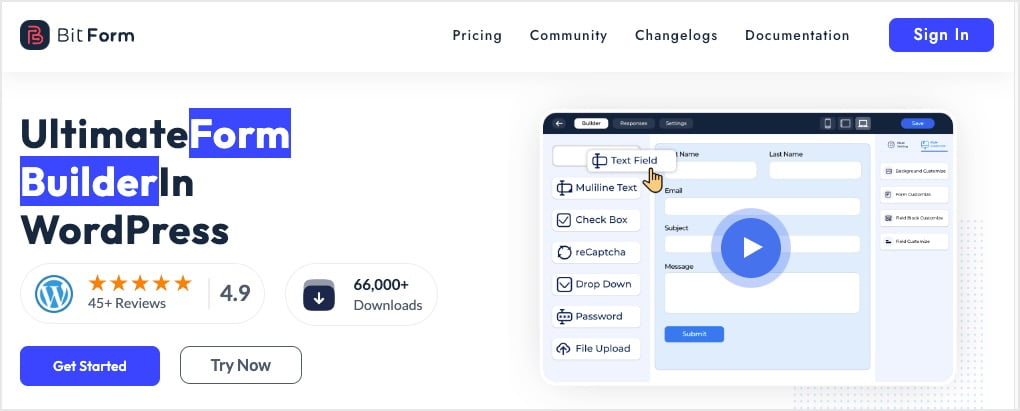
Bit Form Pro is available with annual pricing in packages for 1, 5, and unlimited sites and range in price from $19 a year to $99 a year.
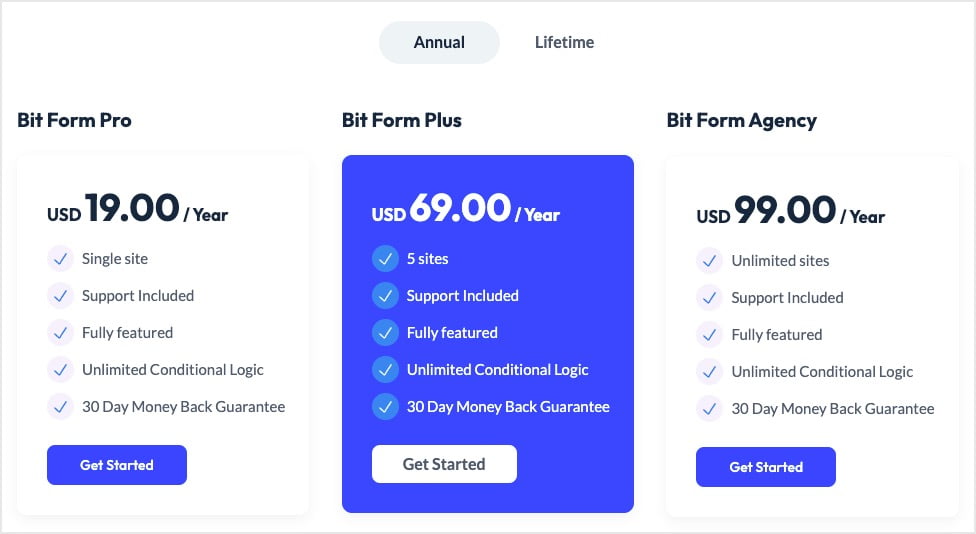
Bit Form Pro also has lifetime packages available. They are also for 1, 5, and unlimited sites and range in price from $99 to $499.
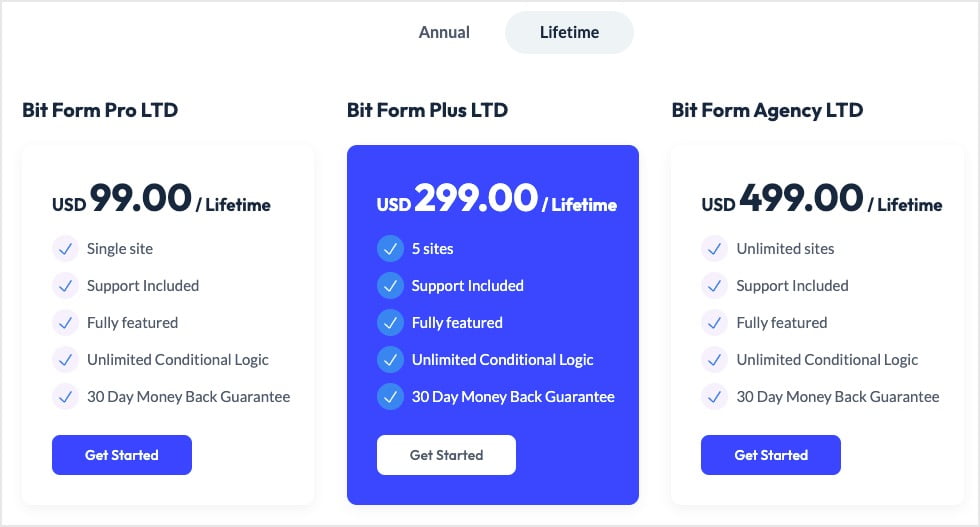
Bit Form has 40+ field types and supports conditional logic, calculated fields, and more. It halso as the ability to create a Custom Post Type and Custom Taxonomy. It has 50+ third party integrations, 8 of them with components of the Zoho platform.
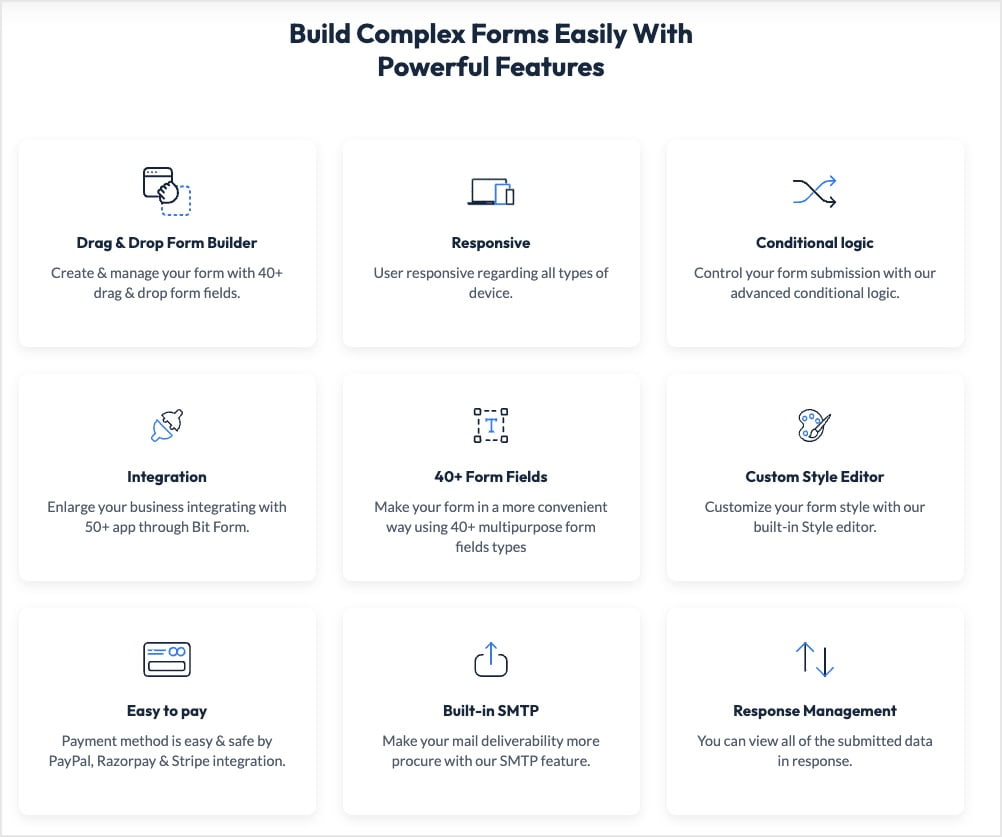
From this high level feature comparison the two options seem very similar, but with Fluent Forms being more established with many more users. However, Bit Form is less expensive and Fluent Forms is higher priced. Also, each one has unique features the other one doesn’t. Further, there is the question of performance, so lets take a deeper look.
Comparison of Similar Features
Both plugins support PDF attachments, double opt-in, the ability to create registration, login and password reset forms, a style editor, response management, and a drag and drop form builder.
Integrations
Bit Form has more than 50 3rd party integrations. Bit Form also works with Bit Integrations, a sister plugin from the same team. Bit Integrations has more than 200 integrations.
Fluent Forms has more than 45 3rd party integrations.
Starter Templates
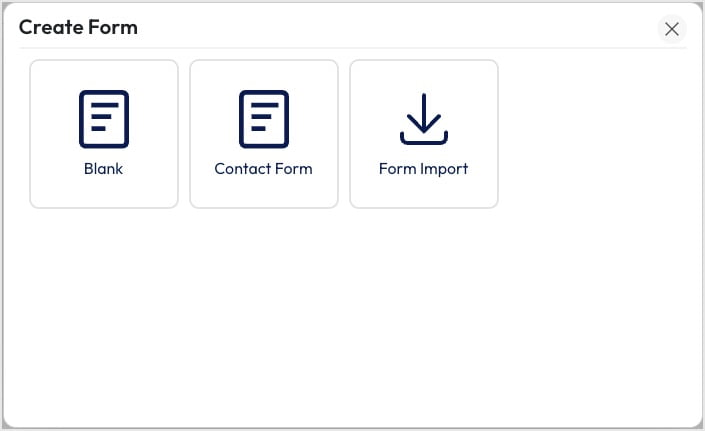
People like starter templates because the basics have already been setup and they are ready to customize. Bit Form Pro comes with 1 starter template, one for a contact form.
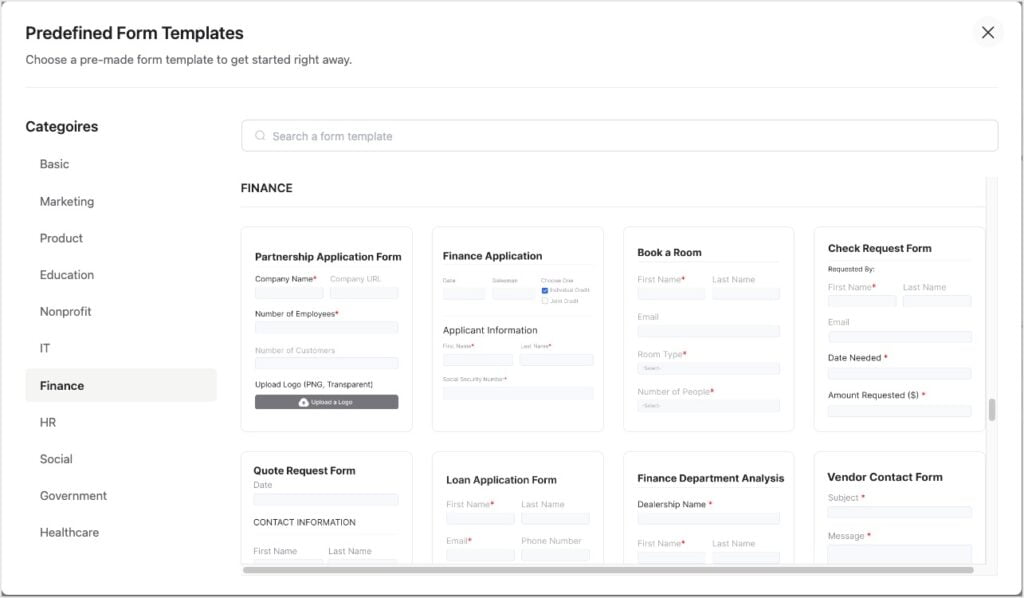
Fluent Forms comes with 65 starter form templates in 11 categories.
Payment Gateways
The ability to accept payment tied to your forms means that you don’t have to setup an entire ecommerce store, like WooCommerce. Here are the supported payment gateways:
Bit Form
- Stripe
- PayPal
- RazorPay
Fluent Forms
- Stripe
- PayPal
- RazorPay
- Mollie
- PayStack
- Square
In addition to offering more payment gateway options, Fluent Forms documentation is more in depth. For example, it includes instructions on how to setup subscription payments and use coupons.
Developer Resources
Both plugins provide developer documentation, APIs, as well as action hooks and filters.
Fluent Forms developer docs

Bit Form developer docs
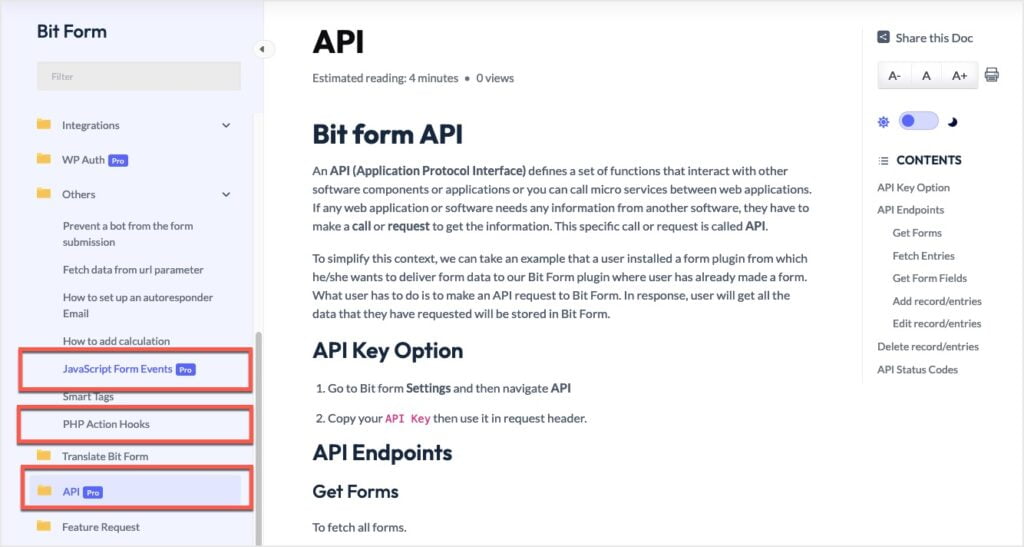
Overall, Fluent Forms documentation, APIs, and available action hooks and filters are more extensive. I saw, however, that Bit Form provides documentation for their JavaScript form events, which I couldn’t find for Fluent Forms.
Some Bit Form Unique Features
Lets look at some of Bit Form’s unique features.
Bit Form and the Creation of Custom Post Types
The feature to create a Custom Post Type is only available in the premium version. Could you replace Custom Post Type UI or similar plugin with this? After pro is installed, you are able to access the screen to create a Custom Post Type. The options on the screen are minimal. True, a lot of CPT-UI’s options include the ability to adjust the default labels, but there are also a number of settings and options for functionality.
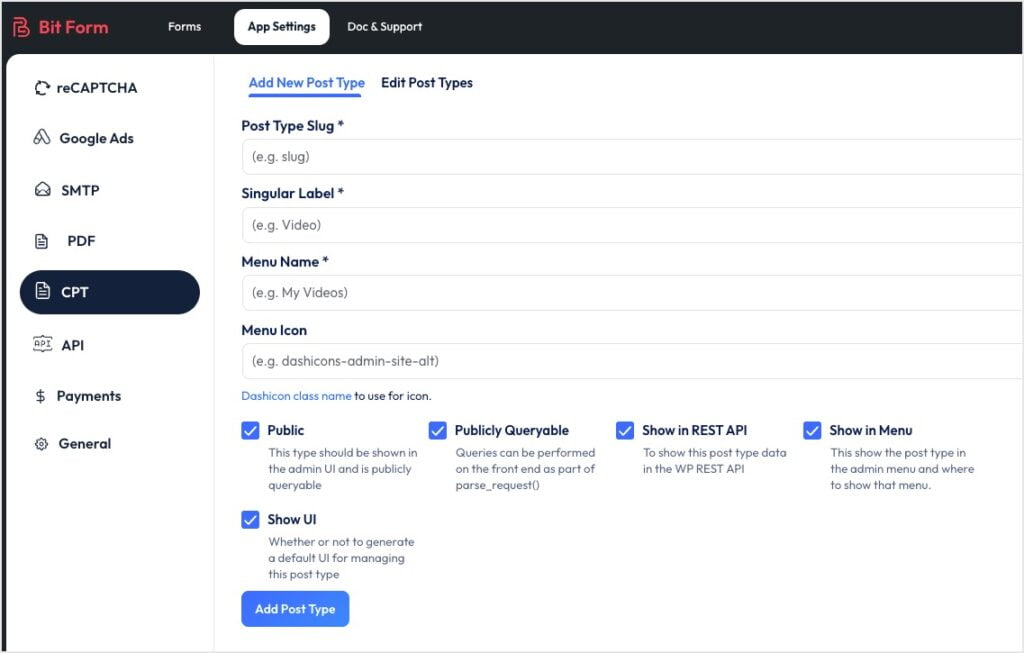
There is too much missing from this Bit Form feature for me to consider using it in place of CPT-UI as there are too many variables over which I’d have no control. For example, Has Archive, Hierarchical, Capability Type, and Support Features (Title, Editor, Featured Image, Excerpt, Trackbacks, Custom Fields, Comments, Revisions, Author, Page Attributes, and Post Formats). I don’t see this as a good substitute for CPT-UI, though it might be good enough for saving some form data in a structured format, like a post type.
Built-in SMTP
Note that both companies have free STMP plugins in the WordPress plugin directory. Bit Form includes built-in SMTP settings for better email deliverability without needing an extra plugin.
Some Fluent Forms Unique Features
Here are some of Fluent Forms special features.
Survey Form and Results
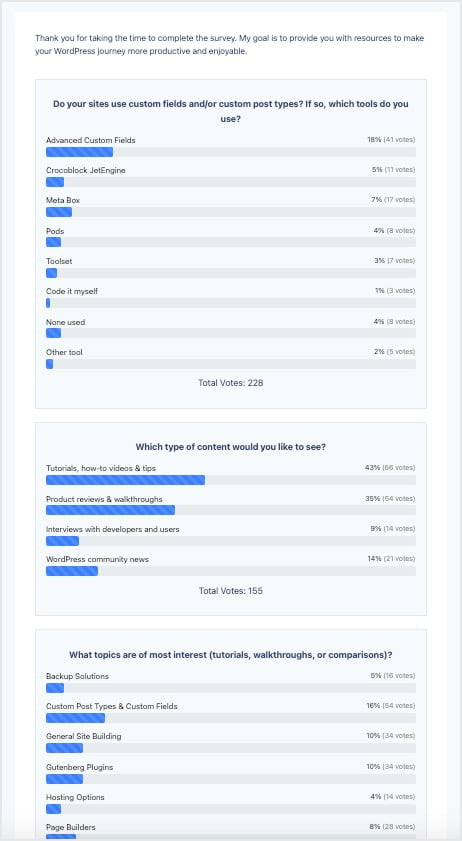
You can create a single page or multiple page “survey” form and show the aggregated results. I use this on the WebTNG website and it works nicely for showing the results. Here is the “thank you” page from that survey.
Conversational Forms
This is the ability to ask one question at a time with a “next” button. Note that this is on the roadmap for Bit Form.
Quiz Module and Results
You can create quizzes and show scores with grades, points, fractions or percentages. Quiz Scores is an advanced field types that is a hidden field that is only visible to admins, where the Quiz scores are calculated.
Form Scheduling
Fluent forms has a scheduling feature where you can set the time from when the form submission opens for your users, a welcome/countdown message, and what message to show once the activation date expires.
Chart Display of Form Results
You can show form results using Pie, Bar, and Column charts. This is what was used in the Survey Results above, for example, though it is not limited to surveys.
Fluent Forms vs Bit Form Performance
It is not hard to imagine that the well established Fluent Forms might have grown lazy, right? Howerver, the Fluent Forms team seems very attentive to performance, so being lazy wouldn’t fit. Is it possible that Fluent Forms has so many features that it slows the site down, or that the Bit Form team discovered and are using exceptional performance optimization techniques?
WPHive
WPHive is a website that has information about all of the plugins in the WordPress directory and they run some automated tests.
Bit Form Performance
Looking at Bit Form they flagged it as not having an optimized database footprint.
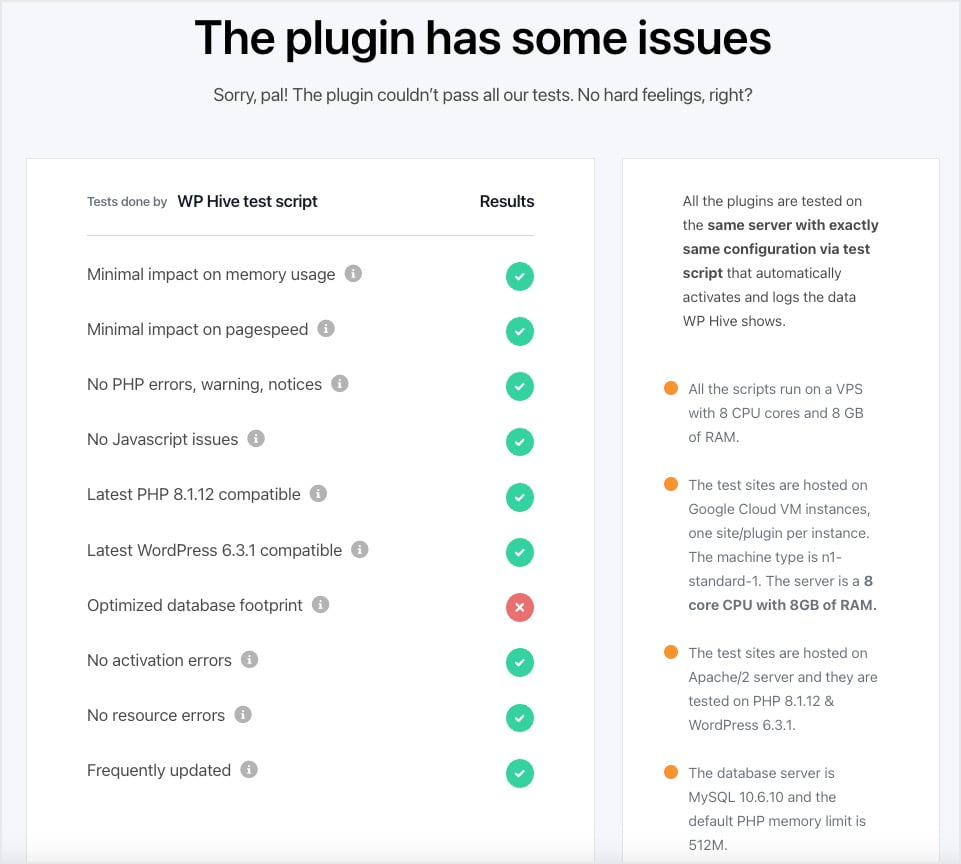
I checked in the database and found that Bit Form creates 15 tables in the database.

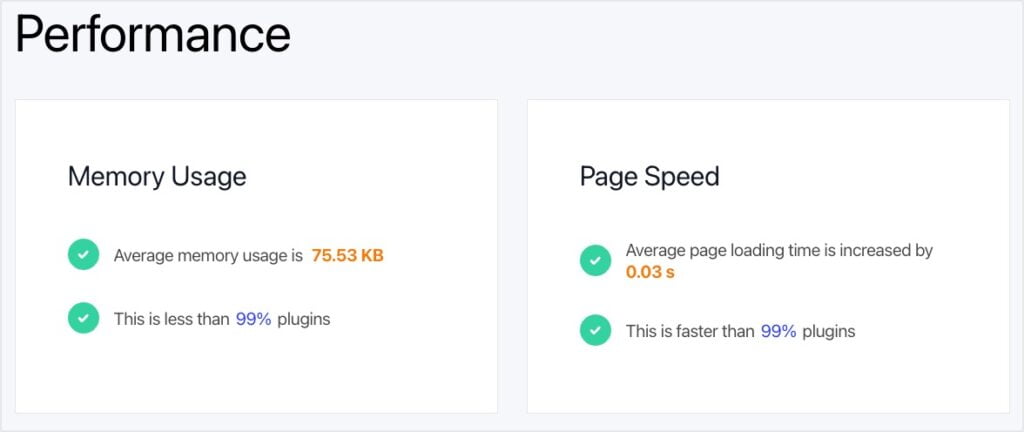
The good news is that the WPHive tests show that Bit Form does very well in relation to the amount of memory used and that impact on page speed when the plugin is active.
Fluent Forms
Fluent Forms also got tagged by the WPHive automated tests. It showed that it uses more memory than most plugins.
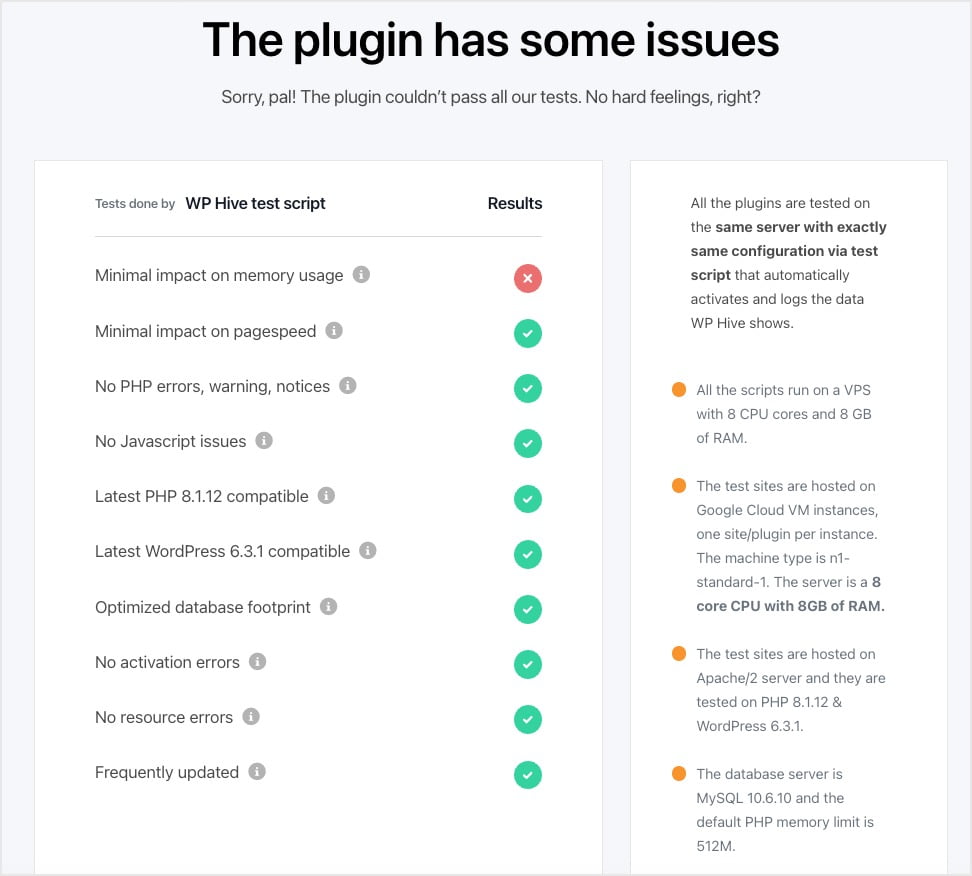
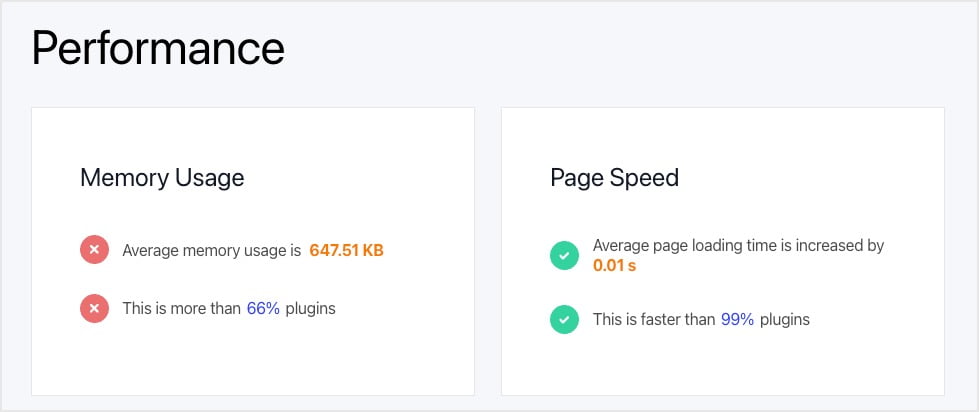
This is reflected in the performance summary. Fluent Forms does very well on page speed, but uses more memory than 66% of other plugins.
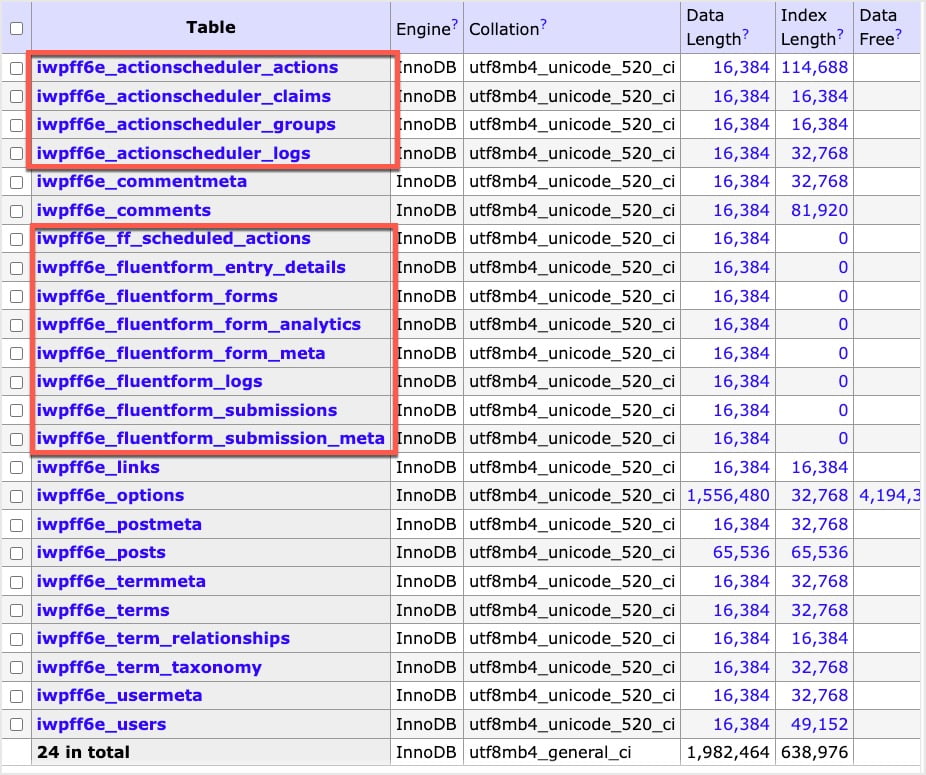
I check the database after installing Fluent Forms as I wondered if it also created tables, 12 in total.
Testing Performance Using GTMetrix
Baseline on GTMetrix
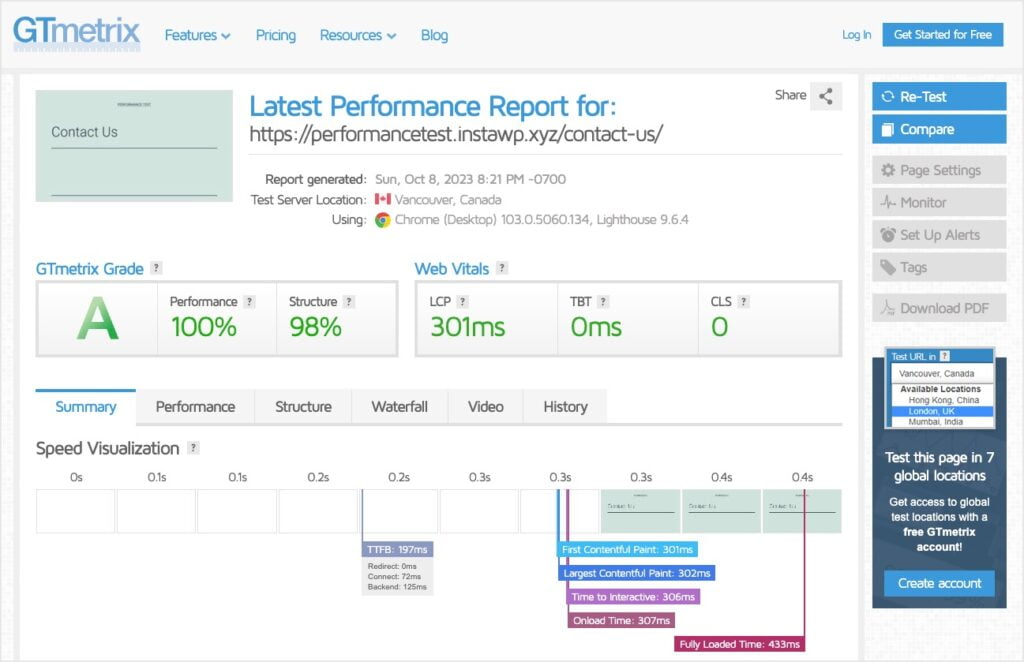
I spun up a test site on InstaWP, activated the Twenty Twenty-One theme and created a blank Contact Us page.
This is the baseline. I then went to GTMetrix and ran the test. Looking at the Waterfall report, I found that 8 files were loaded and the page size uncompressed was 302KB.
Bit Form on GTMetrix
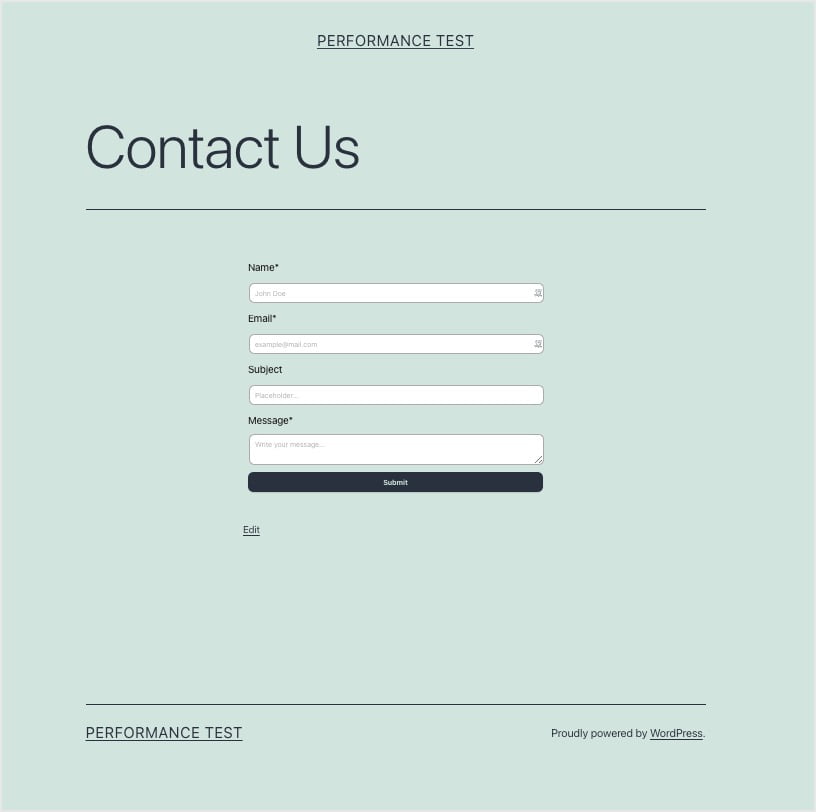
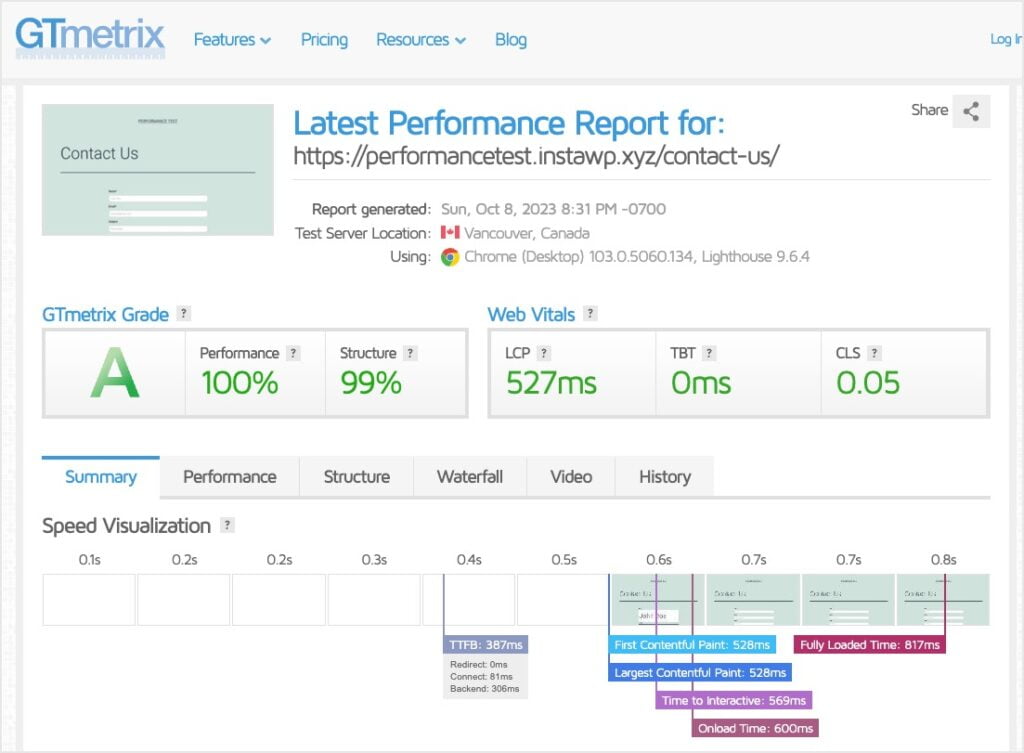
I then installed the free version of Bit Form, created a default contact form and added it the page. Note that I added the “subject” field as the Fluent Forms demo form has one and I wanted them to have the same number of fields.
The waterfall report showed that there were 11 files totaling 334KB uncompressed.
Fluent Forms on GTMetrix
I then deactivated the Bit Form plugin, installed and activated Fluent Forms, and created a contact form using one of the demos.
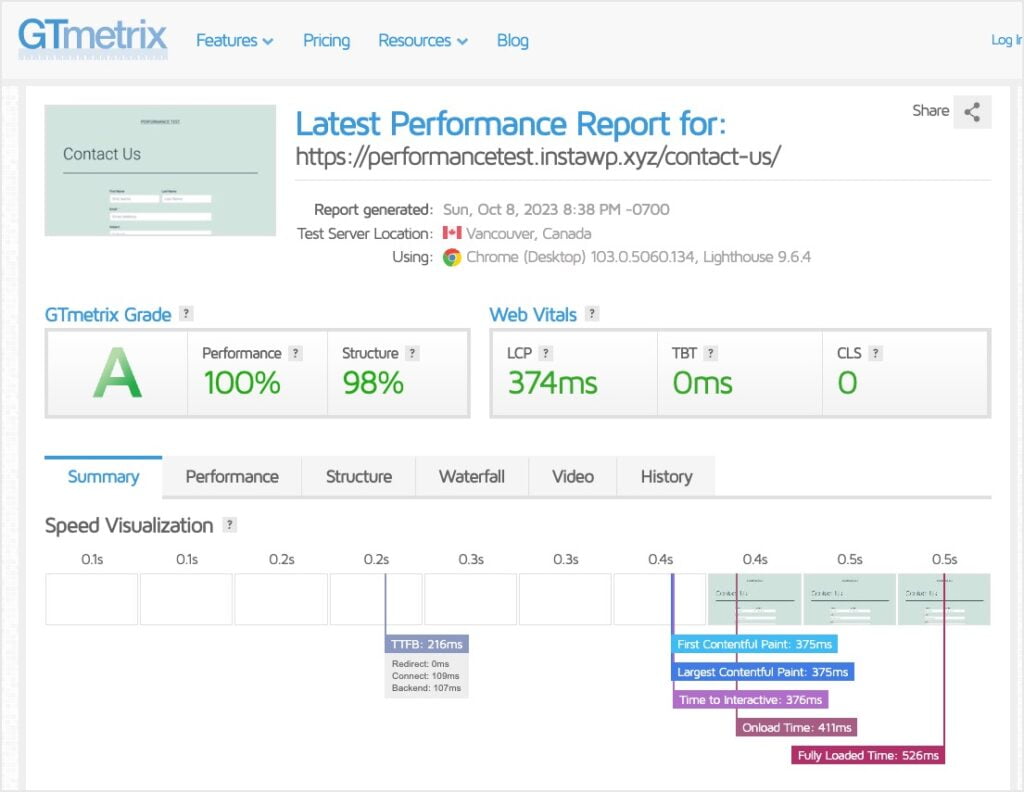
Taking a look at the waterfall report, I saw that there were 13 files loaded totaling 454KB uncompressed.
GTMetrix Performance Compared
Here is the waterfall comparison. Fluent Forms loads 2 more files than Bit Form and the size of the page is noticeably larger.
| Test | Number of Files | Size of Page in KB |
| Blank Home Page | 8 | 302 KB Uncompressed |
| Bit Form Contact Form | 11 | 334 KB Uncompressed |
| Fluent Forms Contact Form | 13 | 454 KB Uncompressed |
UsageDD Performance Compared
GTMetrix gives us an offsite measurement tool. UsageDD is a WordPress plugin that gives us some additional information and measurements from within WordPress.
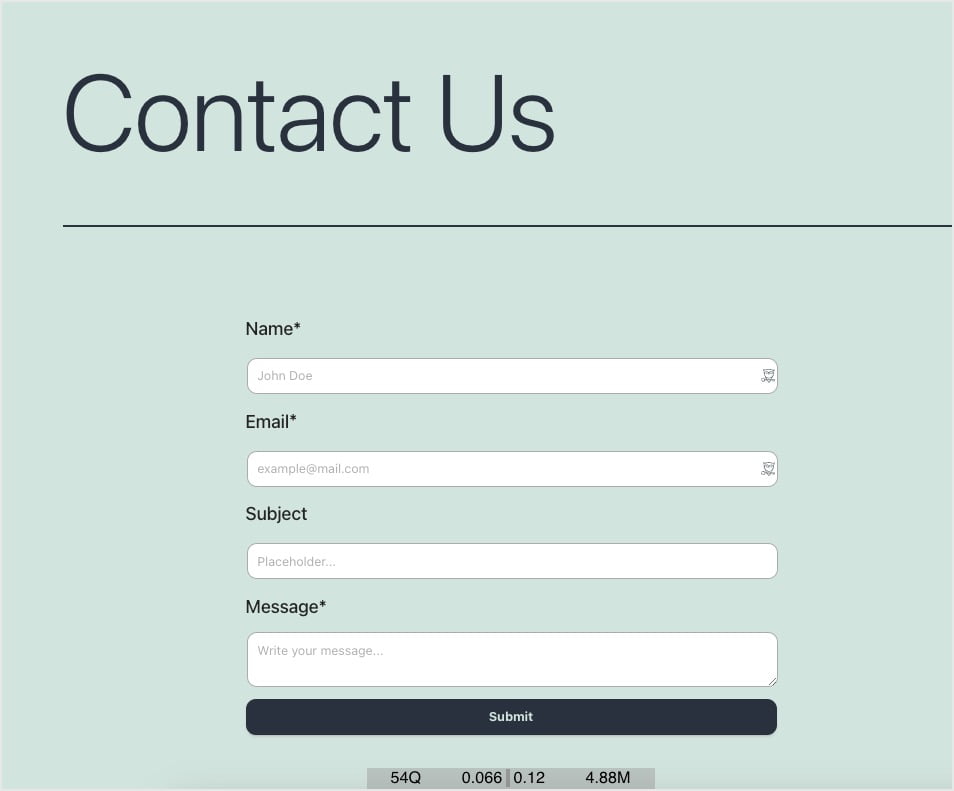
Bit Form – Note the numbers at the bottom of the screenshot.
Fluent Forms – Note the numbers at the bottom of the screenshot.
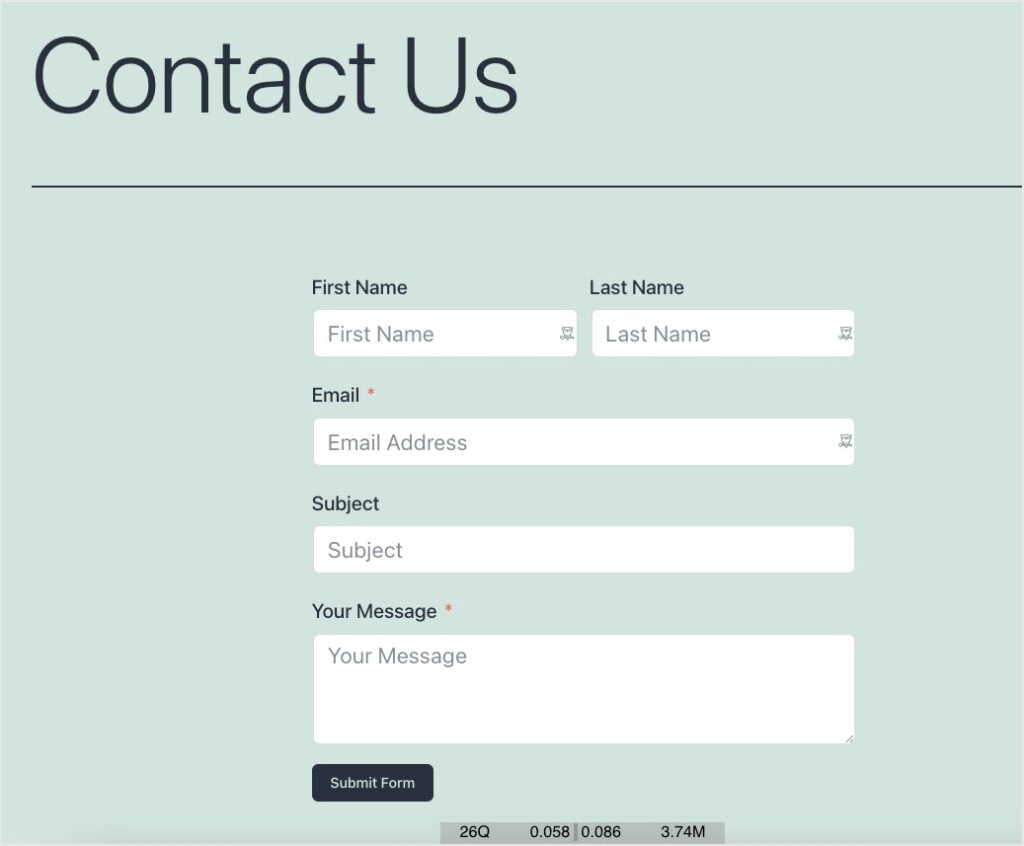
Queries are the number of queries run when the page was loaded. Memory is the about of memory used to render the page. TTFB is time to first byte. TTGP is time to generate page.
| Plugin Form Used | Queries | Memory Used | TTFB | TTGP |
| Bit Form Contact Form | 54 | 4.88MB | 0.066 | 0.12 |
| Fluent Forms Contact Form | 26 | 3.74MB | 0.058 | 0.086 |
Discussion and Conclusions
The overview comparison of the two plugins was interesting. Starting with performance, site builders today are very concerned about performance, but the performance results were mixed. Bit Form was better for the visitor, while Fluent Forms was better in terms of server resources used. While there isn’t a clear winner, I think I’d give Bit Form a slight edge.
The WPHive performance tests show results when the plugin is activated, but no form loading is involved. Both plugins created tables but WPHive only flagged it for Bit Form, perhaps because it has a few more tables. The “memory used” test with just the plugins activated showed that Bit Forms uses less memory in that state. The GTMetrix tests also suggest that in terms of the number of files loaded and the overall size of the contact page, Bit Form performed better. It had fewer files and the overall page size was smaller. The UsageDD tests measured the number of queries and amount of RAM used to generate the page. Here, Fluent Forms performed better.
In terms of pricing, both companies offer annual and lifetime packages. Bit Form is less expensive. Fluent Forms has frequent sales, but only the best discounts, such as on Black Friday, get to comparable levels.
On the one hand, it is clear that Bit Form has come a long way in the past two and a half years. It has added a number of features it previously lacked. On the other hand, Fluent Forms is still more mature, many of its features have more depth, and it has more unique features. Two and a half years ago I said that Fluent Forms was the clear winner. I’d still give Fluent Forms the lead in terms of features, but today it is getting to be a closer race.




As usual David’s meticulous evaluations are invaluable for selecting tools, at least for me. Bit Form doesn’t support multi-page forms, a huge feature deficient IMO. Thanks for another great review David.
Thank you Russ. Glad it was helpful.
I purchased the 30 licenses for $20 because, well, why not? I still haven’t used it yet, but I’m impressed with all the news that seems to be breaking almost daily about a new feature here a new integration there. I’ve got a good feeling about this team. I love to see them continually announce new integration updates with tools I actually own like Encharge (I’m still hoping for a Moosend integration, my prediction is that it’ll get done this year.)
You can’t argue with the price! And they do seem to be working continuously to make it better, which is a good sign. It will be a while before it has a comparable feature set, but its a good bet for the long term.